On this page
Deploy NodeJS Application on AWS
Last reviewed 2 Sept 2026
Before we deploy we have hardcoded the port value so let’s save it in an environment variable. To check it in local we need to use package dotenv
Create .env and add port
.env
PORT=8000
MongoDBURL= 'mongodb://127.0.0.1:27017/blogit'index.js
const express = require("express");
const path = require("path");
const userRoute = require("./routes/user");
const blogRoute = require("./routes/blog");
const mongoose = require("mongoose");
const cookieParser = require("cookie-parser");
const { checkForAuthenticationCookie } = require("./middleware/authentication");
const Blog = require("./models/blog");
**require("dotenv").config();**
const app = express();
const PORT = process.env.PORT || 8000;
mongoose
.connect(process.env.MongoDBURL)
.then((e) => console.log("MongoDB Connected"));
app.set("view engine", "ejs");
app.set("views", path.resolve("./views"));
app.use(express.urlencoded({ extended: false }));
app.use(cookieParser());
app.use(checkForAuthenticationCookie("token"));
app.use(express.static(path.resolve("./public")));
app.get("/", async (req, res) => {
const allBlogs = await Blog.find({});
res.render("home", {
user: req.user,
blogs: allBlogs,
});
});
app.use("/user", userRoute);
app.use("/blog", blogRoute);
app.listen(PORT, () => {
console.log("Server started at ", PORT);
});
What is AWS Elastic Beanstalk
With Elastic Beanstalk, you can quickly deploy and manage applications in the AWS Cloud without having to learn about the infrastructure that runs those applications. Elastic Beanstalk reduces management complexity without restricting choice or control. You simply upload your application, and Elastic Beanstalk automatically handles the details of capacity provisioning, load balancing, scaling, and application health monitoring.
Elastic Beanstalk supports applications developed in Go, Java, .NET, Node.js, PHP, Python, and Ruby. When you deploy your application, Elastic Beanstalk builds the selected supported platform version and provides one or more AWS resources, such as Amazon EC2 instances, to run your application.
- Go to Elastic beanstalk
https://ap-south-1.console.aws.amazon.com/elasticbeanstalk/home?region=ap-south-1#/welcome 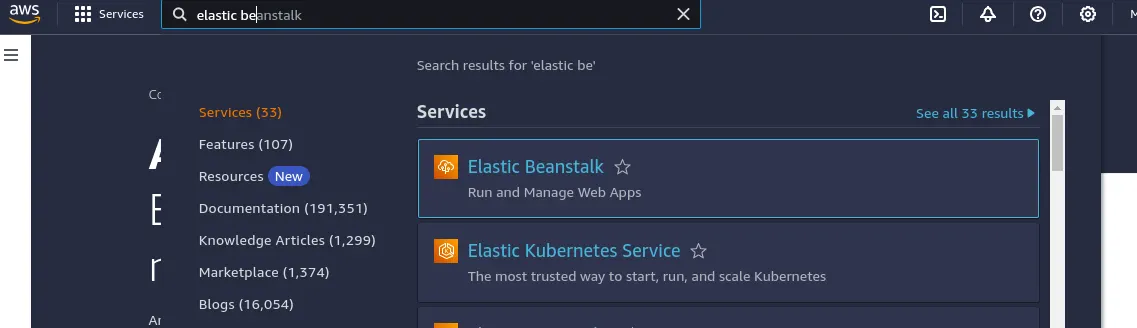
- Add the details
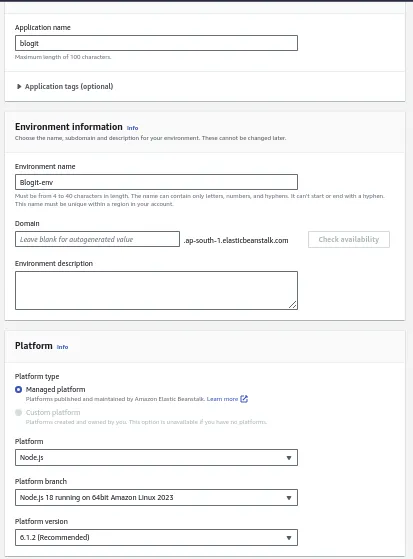
- Delete the node_modules folder and compress all the files. Now upload the zip file as per below screenshot
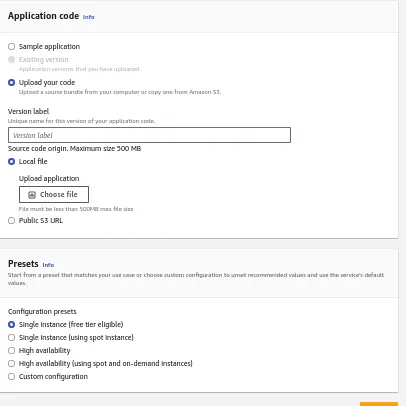
- Click submit and after click skip to review
Now we will need a mongodb URL as the local Url will not work.
Go to mongoDB atlas and create a free cluster. Now get the URL
mongodb+srv://Rishabh:Rish@123@blogs.8zdvtmj.mongodb.net/?retryWrites=true&w=majority&appName=blogs
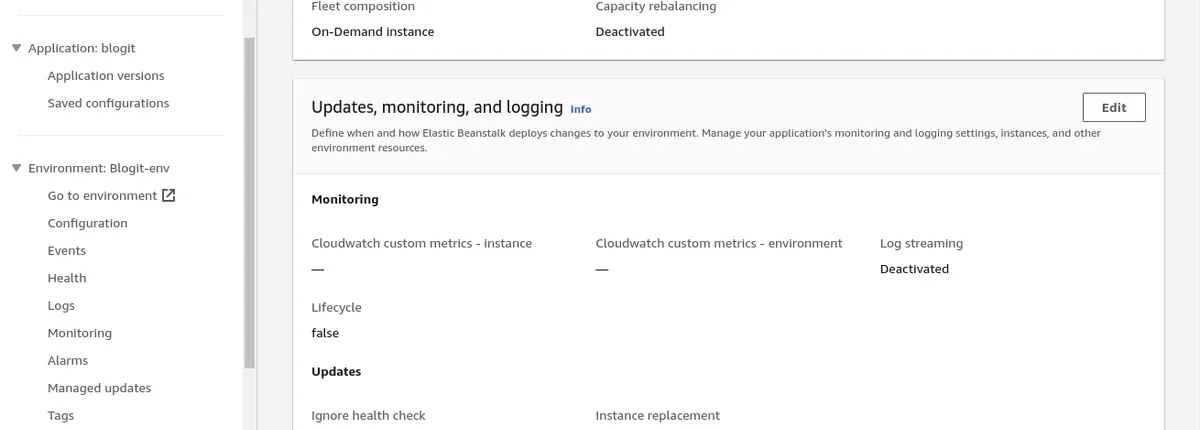
- Go to your app, click on configuration on left side, Scroll down to Updates, monitoring and logging and add the env variable