On this page
JavaScript — Interview Questions
Self-test drill. Each answer is hidden — read the question, answer it in your head, then reveal.
Last reviewed 14 Sept 2026
Short answers for quick revision. Each answer has a small example, and Deep dive → links point to the full chapter in the JavaScript notes.
Sections: Fundamentals · Functions & this · Closures · Objects & prototypes · Arrays & strings · Asynchronous JavaScript · Browser, DOM & security · Output questions · Coding problems
Fundamentals
What is JavaScript?
JavaScript is a cross-platform, multi-paradigm (object-oriented, functional, procedural) programming language. In browsers it makes web pages interactive; with Node.js it also runs on servers.
// Same task, 3 paradigms
// Proceduralfunction doubleProcedural(arr) {  const result = [];  for (let i = 0; i < arr.length; i++) result.push(arr[i] * 2);  return result;}
// Object-orientedclass Doubler {  double(arr) { return arr.map(n => n * 2); }}
// Functionalconst doubleFunctional = arr => arr.map(n => n * 2);
Deep dive → Syntax, Variables & Operators
What is ECMAScript?
ECMAScript is the standard (specification) that JavaScript is based on. It is maintained by Ecma International (Ecma was formerly an acronym for European Computer Manufacturers Association). JavaScript engines implement the ECMAScript spec. A new version is released every year (ES2015/ES6, ES2016 … ES2025).
Is JavaScript a compiled or interpreted language?
Both — it depends on the engine. JavaScript was designed as an interpreted language, but modern engines use a JIT (Just-In-Time) compiler: the code is first interpreted into bytecode and starts running quickly, and frequently used (“hot”) code is compiled into optimized machine code while the program runs.
- Interpreter: executes code line by line — starts fast, runs slower.
- Compiler: compiles the code before running — slower to start, runs faster.
Why is JavaScript single-threaded?
JavaScript executes code on a single call stack, so it processes one task at a time. It was designed for the browser, where simplicity and avoiding conflicts on the shared DOM (two threads editing the same element) mattered more than parallelism. Instead of threads, it uses the event loop to handle asynchronous work. (Web Workers and Node worker threads can run code in parallel, but each has its own separate thread and memory.)
Difference between synchronous and asynchronous
- Synchronous: each statement waits for the previous one to finish.
- Asynchronous: a slow task (timer, network request) is started, and execution continues without waiting; the result is handled later through a callback, promise or
await.
Is JavaScript synchronous or asynchronous?
JavaScript is synchronous by default, but it has asynchronous capabilities through its runtime environment (browser Web APIs or Node.js APIs), using:
- Callback functions
- Promises
- async/await
- The event loop and task queues
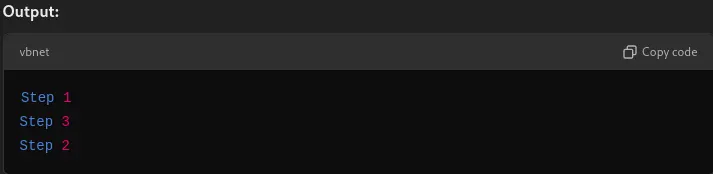
console.log('1');setTimeout(() => console.log('2'), 0);console.log('3');// 1, 3, 2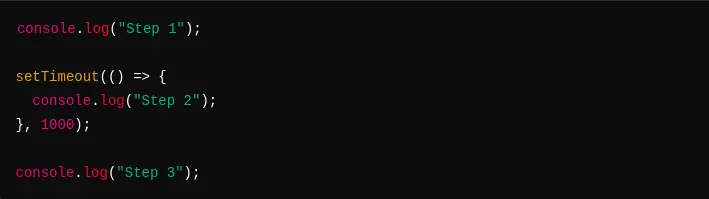
Difference between Java and JavaScript
| Java | JavaScript |
|---|---|
| Statically typed — types are checked at compile time | Dynamically typed — types are checked at runtime |
| Compiled to bytecode and runs on the JVM | Runs in browsers and in Node.js/Deno/Bun |
| Class-based objects | Prototype-based objects (classes are syntax on top of prototypes) |
| Multi-threaded concurrency | Single-threaded, event-loop based concurrency |
| Must declare classes to write a program | Can write plain functions and scripts |
Despite the name, the two languages are unrelated — “JavaScript” was a marketing name.
What is strict mode, why use it, and how do you enable it?
Strict mode (ES5) runs code with stricter rules: it turns silent mistakes into errors and disables some unsafe features. It:
- throws an error when assigning to an undeclared variable (no accidental globals),
- throws when writing to read-only or getter-only properties,
- makes
thisundefinedin plain function calls (instead of the global object), - disallows duplicate parameter names and
with.
Enable it with "use strict"; as the first statement of a script or function. ES modules and class bodies are always strict.
"use strict";x = 3.14; // ReferenceError: x is not definedx = 3.14; // No error (non-strict) — creates a global
function myFunction() { "use strict"; y = 3.14; // ReferenceError — strict only inside this function}myFunction();What are the JavaScript data types?
Eight data types:
- Seven primitives:
boolean,null,undefined,number,bigint,string,symbol - One non-primitive:
object(arrays, functions, dates, maps … are objects)
Primitives are immutable and copied by value; objects are copied by reference.
console.log(typeof 10n); // "bigint"console.log(typeof Symbol()); // "symbol"console.log(typeof null); // "object" — historical bugconsole.log(typeof []); // "object"console.log(typeof (() => {})); // "function"Deep dive → Data Types, Literals & Control Flow
What is a dynamically typed language?
You don’t declare a variable’s type, and the same variable can hold different types over time. Types are checked at runtime and values are converted automatically when needed.
let value = 42;value = 'forty-two'; // no errorWhat is the typeof operator?
typeof returns a string with the type of a value. It does not throw for undeclared variables.
typeof "John Abraham"; // "string"typeof (1 + 2); // "number"typeof undefined; // "undefined"typeof notDeclared; // "undefined" — no ReferenceErrortypeof null; // "object" — bug kept for compatibilitytypeof []; // "object" — use Array.isArray()What is undefined?
undefined means a variable has been declared but not assigned a value. JavaScript also returns it for missing object properties, missing function arguments, and functions without return. Its type is "undefined".
let user;console.log(user); // undefinedconsole.log(typeof user); // "undefined"console.log({}.name); // undefined// console.log(notDeclared); // ReferenceError — undeclared is NOT the same as undefinedWhat is null?
null represents the intentional absence of a value — you assign it yourself to say “empty”. It is a primitive, but typeof null returns "object" (a historical bug).
let user = null;console.log(typeof user); // "object"Difference between null and undefined
null | undefined | |
|---|---|---|
| Meaning | intentionally empty | not assigned yet |
| Set by | the developer | JavaScript (default) |
typeof | "object" | "undefined" |
| In arithmetic | converts to 0 (null + 1 → 1) | converts to NaN (undefined + 1 → NaN) |
null == undefined | true | true |
null === undefined | false | false |
| In JSON | kept ({"a":null}) | property is dropped |
What is the difference between == and ===?
==(loose equality) converts types before comparing.===(strict equality) compares value and type, with no conversion.
console.log(5 == '5'); // trueconsole.log(5 === '5'); // falseconsole.log(0 == false); // trueconsole.log('' == 0); // trueconsole.log(null == undefined); // trueconsole.log(null == 0); // false — null only loosely equals undefinedconsole.log(NaN == NaN); // falseconsole.log([1, 2] == '1,2'); // true — array converted to stringUse === by default. A common exception: value == null checks for both null and undefined.
What is type coercion?
Automatic conversion of a value from one type to another.
+with a string → string concatenation.-,*,/,%, unary+→ number.if,!,&&,||→ boolean (truthy/falsy).- Objects are converted to primitives with
valueOf()/toString().
console.log('5' + 1); // "51"console.log('5' - 1); // 4console.log(true + 1); // 2console.log([] + {}); // "[object Object]"console.log(+''); // 0console.log(+'abc'); // NaNWhat are the falsy values?
false, 0, -0, 0n, "", null, undefined, NaN. Everything else is truthy, including "0", "false", [] and {}.
What is the purpose of the double exclamation (!!)?
!! converts any value to its boolean equivalent — the same as Boolean(value).
console.log(!!'hello'); // trueconsole.log(!!0); // falseconsole.log(!![]); // trueWhat is NaN and how do you check for it?
NaN (“Not a Number”) is a special number value for an invalid numeric result. It is not equal to anything, including itself.
console.log(typeof NaN); // "number"console.log(NaN === NaN); // falseconsole.log(Number.isNaN(NaN)); // true — reliable checkconsole.log(isNaN('abc')); // true — global isNaN converts to number firstconsole.log(Number.isNaN('abc')); // falseWhat is variable hoisting?
Hoisting means we can refer to a variable or function declared later in the code, without getting an exception.
- Function declarations are hoisted with their full body.
varis hoisted and initialized withundefined.let/const/classare hoisted but not initialized (temporal dead zone).
console.log(a); // undefinedconsole.log(greet()); // "hi"var a = 1;function greet() { return 'hi'; }What is the temporal dead zone (TDZ)?
It’s the period between when a variable is hoisted (its scope is created) and when it’s initialized (assigned a value).
With let and const, the variable is hoisted but not initialized. It sits in the TDZ until execution reaches its declaration:
console.log(y); // ReferenceError: Cannot access 'y' before initializationlet y = 5;Why do we say let and const are hoisted if we can’t access them?
Because the engine already knows about them before their line runs. If they weren’t hoisted, the inner code would see the outer variable instead of throwing:
let x = 'outer';{ console.log(x); // ReferenceError: Cannot access 'x' before initialization let x = 'inner';}If the inner let x were not hoisted, this would print "outer". And an undeclared variable gives a different message: "x is not defined".
Difference between var, let and const
var | let | const | |
|---|---|---|---|
| Scope | function | block | block |
| Hoisting | yes, undefined | yes, TDZ | yes, TDZ |
| Redeclare in same scope | yes | no | no |
| Reassign | yes | yes | no |
| Must initialize | no | no | yes |
Becomes property of window (global) | yes | no | no |
const prevents reassigning the variable, not changing an object’s contents:
const user = { name: 'A' };user.name = 'B'; // allowed// user = {}; // TypeError: Assignment to constant variable.What is scope? What types of scope exist?
Scope is the accessibility (visibility) of variables — which parts of the code can use them.
- Global scope — accessible everywhere.
- Function scope — variables declared inside a function.
- Block scope —
let/constinside{ }. - Module scope — top-level variables in an ES module.
What is lexical scope?
Lexical (static) scope means a variable’s scope is decided by where the code is written, not where a function is called.
let number = 42;function printNumber() { console.log(number); }function log() { let number = 54; printNumber();}log(); // 42 — printNumber was written in the global scopeWhat is the lexical environment?
A structure created for each execution context that holds the identifier-to-value mapping (local variables and functions) plus a reference to the parent lexical environment.
Don’t confuse lexical scope (a rule decided by where code is written) with the lexical environment (the actual place variables are stored while the program runs).
What is the scope chain?
When a variable is used, JavaScript searches the current lexical environment, then its parent’s, and so on up to the global scope. This chain of lookups is the scope chain. If the variable is not found anywhere, a ReferenceError is thrown. The global environment’s parent is null.
What is shadowing? What is illegal shadowing?
Shadowing: an inner scope declares a variable with the same name as an outer one, so inside the inner scope the name refers to the inner variable.
Illegal shadowing: a var inside a block trying to shadow an outer let/const. Since var is not block-scoped, it would be declared in the same scope as the let, which is not allowed.
let a = 20;{  let a = 10;   // legal — block-scoped}
function x() {  var a = 10;   // legal — var stays inside the function}
var b = 20;{  let b = 10;   // legal}
// let c = 20;// {//   var c = 10; // SyntaxError: Identifier 'c' has already been declared// }
What is the execution context and call stack?
- Execution context: the environment in which code runs. It has a memory (variable environment) and a thread of execution, and is created in two phases: memory creation and code execution. A global execution context is created first, and a new one for every function call.
- Call stack: keeps track of execution contexts. A function call pushes a context; when the function returns, it is popped. Too many nested calls cause
RangeError: Maximum call stack size exceeded.
Deep dive → How JavaScript works
How do you redeclare variables in a switch block without an error?
All case clauses share one block, so two let declarations with the same name clash. Wrap each case in its own { }:
switch (x) {  case 0:    let name;    break;  case 1:    // let name; // SyntaxError: Identifier 'name' has already been declared    break;}
switch (x) {  case 0: {    let name;  // its own block    break;  }  case 1: {    let name;  // no error    break;  }}
What is optional chaining (?.) and nullish coalescing (??)?
?.reads a nested property safely. If the part before it isnullorundefined, it returnsundefinedinstead of throwing.??returns the right side only when the left side isnullorundefined(unlike||, which also replaces0,""andfalse).
const adventurer = { name: 'Alice' };console.log(adventurer.dog?.name);     // undefined — no TypeErrorconsole.log(adventurer.greet?.());     // undefined — method doesn't exist
console.log(0 || 10);  // 10console.log(0 ?? 10);  // 0console.log(adventurer.dog?.name ?? 'No dog'); // "No dog"
What is eval, and why avoid it?
eval() runs JavaScript code from a string. Avoid it: it is a security risk (code injection), it is slow (the engine can’t optimize it), and it makes debugging harder.
console.log(eval('1 + 2')); // 3What is the purpose of the delete operator?
delete removes a property from an object. It returns true if the property is gone. It cannot delete variables, and deleting array elements leaves empty holes.
const user = { name: "John", age: 20 };delete user.age;console.log(user); // { name: "John" }
const arr = [1, 2, 3];delete arr[1];console.log(arr, arr.length); // [1, empty, 3] 3 — use splice instead
What is the use of extra commas in an array literal?
Two commas in a row create an empty slot (hole), making a sparse array. Reading a hole gives undefined, but the index doesn’t actually exist. A single trailing comma at the end is ignored.
const fish = ['Lion', , 'Angel'];console.log(fish.length); // 3console.log(fish[1]);     // undefinedconsole.log(1 in fish);   // false — it's a hole, not a stored undefined
console.log([1, 2, ].length); // 2 — trailing comma ignored
Deep dive → Array literal questions
Functions & this
What are the different types of functions?
- Function declaration —
function add(a, b) {}— hoisted with its body. - Function expression —
const add = function (a, b) {}— not usable before the line. - Named function expression —
const add = function sum(a, b) {}—sumis visible only inside. - Anonymous function — no name; used as a value (callbacks, IIFEs).
- Arrow function —
const add = (a, b) => a + b— no ownthisorarguments. - IIFE — runs immediately after it is defined.
- Generator function —
function* gen() {}— can pause withyield. - Async function —
async function load() {}— always returns a promise.
Deep dive → Functions & Expressions
Difference between function declaration and function expression
The main difference is hoisting.
a(); // "a called"b(); // TypeError: b is not a function
function a() { console.log("a called"); }  // declaration — hoisted with bodyvar b = function () { console.log("b called"); }; // expression — b is undefined until this line
What is an anonymous function?
A function without a name. It can’t be written as a standalone statement (function () {} → SyntaxError: Function statements require a function name), so it is used where a function is a value:
const greet = function () { return 'hi'; }; // assignedsetTimeout(function () { console.log('done'); }, 0); // passed as a callback(function () { console.log('IIFE'); })(); // invoked immediatelyWhat are arrow functions?
A shorter syntax for function expressions. Arrow functions do not have their own this, arguments, super or new.target, and cannot be used as constructors. They are best for callbacks, not for object methods.
const double = n => n * 2;const makeUser = () => ({ id: 1 }); // wrap an object in ()
const obj = {  name: 'A',  regular() { return this.name; },  arrow: () => this?.name};console.log(obj.regular()); // "A"console.log(obj.arrow());   // undefined — takes `this` from the outer scope
How do you declare optional function parameters?
-
Default parameters (recommended):
function greet(name = 'Guest') {return `Hello ${name}`;}console.log(greet()); // "Hello Guest"console.log(greet(undefined)); // "Hello Guest"console.log(greet(null)); // "Hello null" — only undefined triggers the default -
Logical OR (old way):
b = b || 0;— careful: this also replaces valid falsy values like0,""andfalse. Useb = b ?? 0if onlynull/undefinedshould be replaced.function setVolume(v) {v = v || 50;return v;}console.log(setVolume(0)); // 50 — bug: 0 was a valid value
Optional parameters should come at the end of the parameter list.
What is the arguments object?
An array-like object available inside regular functions, containing all passed arguments. It has length and indexes but no array methods. Arrow functions don’t have it. Prefer rest parameters in modern code.
function sum() {  let total = 0;  for (let i = 0; i < arguments.length; i++) total += arguments[i];  return total;}console.log(sum(1, 2, 3)); // 6
function toArray() {  return Array.from(arguments); // or Array.prototype.slice.call(arguments)}
const sumRest = (...nums) => nums.reduce((a, b) => a + b, 0); // modern
What are rest parameters and the spread operator?
Same ... syntax, opposite jobs:
- Rest collects remaining values into an array (in parameters or destructuring).
- Spread expands an array/object into individual values.
function max(...nums) {        // rest  return Math.max(...nums);    // spread}console.log(max(3, 9, 4));     // 9
const [first, ...others] = [1, 2, 3]; // rest in destructuring → others = [2, 3]const merged = { ...{ a: 1 }, b: 2 };  // spread → { a: 1, b: 2 }
What is a first-class function?
In JavaScript, functions are treated like any other value: they can be assigned to variables, passed as arguments, returned from functions, and stored in objects/arrays.
const handler = () => console.log('This is a click handler function');document.addEventListener('click', handler); // function passed as a valueWhat are first-order and higher-order functions?
- First-order function: doesn’t take a function as an argument and doesn’t return a function.
- Higher-order function: takes a function as an argument or returns a function (
map,filter,setTimeout,debounce).
const firstOrder = () => console.log('I am a first order function!');
const higherOrder = fn => fn();       // takes a functionhigherOrder(firstOrder);
const multiplier = x => y => x * y;   // returns a functionconsole.log(multiplier(2)(5));        // 10
What is a pure function?
A function whose output depends only on its inputs and which has no side effects (doesn’t change anything outside itself — no global variables, DOM, network, or mutating arguments).
function add(a, b) {  return a + b;           // pure — same input, same output}
let total = 0;function addToTotal(n) {  total += n;             // impure — changes outside state  return total;}
function addItem(cart, item) {  return [...cart, item]; // pure — returns a new array instead of mutating cart}
Benefits: easy to test, predictable, safe to cache (memoize).
What is an IIFE?
An Immediately Invoked Function Expression runs as soon as it is defined. It creates a private scope, so variables inside it don’t leak into the global scope. (Before ES modules and let, it was the main way to get data privacy.)
(function () {  var message = "IIFE";  console.log(message); // "IIFE"})();
console.log(typeof message); // "undefined" — not accessible outside
const counter = (() => { let count = 0; return { increment: () => ++count };})();console.log(counter.increment()); // 1What is the this keyword?
this refers to the object that is executing the current function. Its value depends on how the function is called, not where it is defined (except for arrow functions).
| How the function is called | this |
|---|---|
new Fn() | the new object |
fn.call(obj) / apply / bind | obj |
obj.method() | obj |
fn() (plain call) | undefined in strict mode, global object otherwise |
| Arrow function | this of the surrounding scope |
| DOM event listener (regular function) | the element |
const user = {  name: 'Asha',  greet() { return this.name; }};
console.log(user.greet()); // "Asha"const fn = user.greet;console.log(fn()); // undefined — called without an objectWhat are call, apply and bind?
All three set this for a function.
- call — invokes immediately, arguments one by one.
- apply — invokes immediately, arguments as an array.
- bind — does not invoke; returns a new function with
this(and optionally some arguments) fixed.
const name = { firstName: "Rishabh", lastName: "Sisodiya" };const name2 = { firstName: "Any", lastName: "Random" };
function printFullName(hometown, state) {  console.log(`${this.firstName} ${this.lastName} from ${hometown}, ${state}`);}
printFullName.call(name, "Chittorgarh", "Rajasthan");// "Rishabh Sisodiya from Chittorgarh, Rajasthan"
printFullName.apply(name2, ["Udaipur", "Rajasthan"]);// "Any Random from Udaipur, Rajasthan"
const printMyName = printFullName.bind(name2, "Udaipur");printMyName("Rajasthan");// "Any Random from Udaipur, Rajasthan"
Use cases: call for function borrowing, apply when arguments are already in an array, bind for callbacks that lose this (e.g. setTimeout(obj.method.bind(obj))).
Deep dive → call, apply and bind
What is a callback function, and why do we need callbacks?
A callback is a function passed into another function as an argument, to be called later. We need them because JavaScript doesn’t wait for slow operations (timers, events, network) — we give it a function to run when the work completes.
function greeting(name) {  console.log('Hello ' + name);}
function processUserInput(callback) {  const name = 'Rishabh';  callback(name);}
processUserInput(greeting); // "Hello Rishabh"
setTimeout(() => console.log('Runs later'), 1000); // async callback
Closures
Closures come up in almost every JavaScript interview, directly or through patterns like counters, once, memoize, debounce and React hooks. For practice, see the Closures group under Output questions.
What is a closure?
A closure is a function bundled together with references to the variables of its surrounding scope (its lexical environment). The inner function can use outer variables even after the outer function has returned.
function outer() {  let count = 0;  return function inner() {    count++;    return count;  };}
const counter = outer();console.log(counter()); // 1console.log(counter()); // 2 — count is rememberedHow does a closure work internally?
When a function is created, it stores a hidden reference to the lexical environment it was created in (you can see it as [[Scopes]] in Chrome DevTools). When the function runs later and uses a variable it doesn’t have locally, JavaScript follows that reference up the scope chain to find it.
Normally a function’s local variables are freed when it returns. But if an inner function that uses them is still reachable (returned, stored, or registered as a callback), the garbage collector keeps those variables alive.
function x() {  var a = 7;  function y() {    console.log(a); // a is not in y — found in x's environment  }  return y;}
const z = x(); // x has finished...z();           // 7 — ...but y still reaches a through its closure
A closure holds a reference to the variable, not a copy of its value, so it always sees the latest value:
function counter() { let count = 0; return () => ++count;}const next = counter();next();console.log(next()); // 2When is a closure created?
Every time a function is created, at creation time — not when it is called. Every function in JavaScript is technically a closure. We usually say “closure” when an inner function uses outer variables and outlives the outer function (returned, passed as a callback, or stored).
function makeGreeting(greeting) {  return name => `${greeting}, ${name}`; // closure created here, remembering greeting}
const hi = makeGreeting('Hi');const hello = makeGreeting('Hello');console.log(hi('Asha'), hello('Asha')); // "Hi, Asha" "Hello, Asha"
Each call to makeGreeting creates a new closure with its own greeting.
What is the difference between scope and closure?
| Scope | Closure |
|---|---|
| The rule for where a variable is visible | A function plus the variables it remembers from its outer scope |
| Decided by where code is written (lexical) | Created when a function is created |
| Exists while code in that scope is running | Keeps outer variables alive after the outer function has returned |
Scope is the map; a closure is a function carrying part of that map with it.
function outer() { const secret = 'hidden'; // scope: visible only inside outer return () => secret; // closure: this function keeps secret alive}console.log(outer()()); // "hidden" — outer has returned, secret still accessibleWhat are the uses of closures?
- Data hiding / private variables (module pattern)
- Function factories and currying
once, memoization, debounce and throttle- Keeping state in callbacks, event handlers and
setTimeout - Iterators and generators
How do closures help with data privacy (module pattern)?
Variables inside a function can’t be accessed from outside. By returning only the functions that should be public, the rest stays private — accessible only through those functions.
const bank = (function () {  let balance = 0;                        // private
  function log(message) {                 // private helper    console.log(message);  }
  return {                                // public API    deposit(amount) {      balance += amount;      log(`Deposited ${amount}`);    },    getBalance() {      return balance;    }  };})();
bank.deposit(500);              // "Deposited 500"console.log(bank.getBalance()); // 500console.log(bank.balance);      // undefined — no direct access
Before ES modules and #private class fields, this module pattern (an IIFE returning an object) was the main way to create private state.
Why does a loop with var and setTimeout print the same number? How do you fix it?
All callbacks close over the same var i (function-scoped). The loop finishes before any timer fires, so they all read the final value.
for (var i = 1; i <= 3; i++) { setTimeout(() => console.log(i), 100);}// 4, 4, 4Fixes:
// 1. let — a new i for every iterationfor (let i = 1; i <= 3; i++) {  setTimeout(() => console.log(i), 100);}
// 2. A function scope per iteration (IIFE)for (var i = 1; i <= 3; i++) {  (function (j) {    setTimeout(() => console.log(j), 100);  })(i);}
// 3. Pass the value as a setTimeout argumentfor (var i = 1; i <= 3; i++) {  setTimeout(n => console.log(n), 100, i);}// All print 1, 2, 3
Can closures cause memory leaks? How do you avoid them?
Yes. A closure keeps its outer variables alive as long as the closure itself is reachable. Leaks happen when a closure is kept longer than needed and holds large data:
- event listeners that are never removed,
setIntervaltimers that are never cleared,- caches (e.g. memoize) that grow forever,
- long-lived objects storing callbacks.
function attach() {  const bigData = new Array(1_000_000).fill('*');
  function handler() {    console.log(bigData.length); // closure keeps bigData alive  }
  button.addEventListener('click', handler);  return () => button.removeEventListener('click', handler); // cleanup function}
const cleanup = attach();// later, when the button is no longer needed:cleanup(); // handler and bigData can now be garbage collected
How to avoid: remove listeners and clear intervals when done (or use { once: true } / AbortController), set references to null when finished, limit cache size, and don’t capture large objects you don’t need.
Modern engines like V8 only keep the variables a closure actually uses — unused variables in the same scope can still be freed.
What is a stale closure?
A stale closure is a function that captured an old value and keeps using it after the value has changed. It’s common in React hooks, timers and event handlers.
function createCounter() {  let count = 0;  const current = count; // a copy taken once
  return {    increment() { count++; },    logCopy() { console.log(current); }, // stale — always 0    logLive() { console.log(count); }    // reads the variable → up to date  };}
const c = createCounter();c.increment();c.logCopy(); // 0c.logLive(); // 1
In React:
function Timer() {  const [count, setCount] = useState(0);
  useEffect(() => {    const id = setInterval(() => {      setCount(count + 1);      // stale: `count` is always 0 from the first render      // setCount(c => c + 1);  // fix: functional update always uses the latest value    }, 1000);    return () => clearInterval(id);  }, []); // empty deps → the effect's closure never sees new renders}
Fixes: read the value when needed instead of copying it early, use functional updates (setCount(c => c + 1)), include the value in the effect’s dependency array, or store it in a useRef.
What are common real-world uses of closures (with code)?
// 1. Function factoryconst multiplyBy = factor => n => n * factor;const double = multiplyBy(2);console.log(double(5)); // 10
// 2. once — run a function only one timefunction once(fn) {  let done = false, result;  return (...args) => {    if (!done) { done = true; result = fn(...args); }    return result;  };}const init = once(() => console.log('init'));init(); init(); // "init" logged once
// 3. Debounce — shares one timer across callsfunction debounce(fn, delay) {  let timer;  return (...args) => {    clearTimeout(timer);    timer = setTimeout(() => fn(...args), delay);  };}
// 4. Event handler remembering statefunction trackClicks(button) {  let clicks = 0;  button.addEventListener('click', () => {    clicks++;    console.log(`Clicked ${clicks} times`);  });}
// 5. Partial application / curryingconst log = level => message => console.log(`[${level}] ${message}`);const warn = log('WARN');warn('Low disk space'); // [WARN] Low disk space
Other everyday examples: React hooks (useState, useCallback), iterators and generators, and promise callbacks that remember request details.
What are the disadvantages of closures?
- Memory usage: closed-over variables stay in memory as long as the closure is reachable.
- Memory leaks: closures in forgotten event listeners or timers keep large data alive.
- Harder debugging: the captured values aren’t obvious from the call site.
- Loop pitfalls: with
var, all closures in a loop share one variable.
What is memoization?
Caching the results of a function so repeated calls with the same arguments return the cached value instead of recalculating. It works best with pure functions.
const memoizedAddition = () => {  const cache = {};  return (value) => {    if (value in cache) {      console.log('Fetching from cache');      return cache[value]; // cache.value would not work — the key is dynamic    }    console.log('Calculating result');    const result = value + 20;    cache[value] = result;    return result;  };};
const addition = memoizedAddition();console.log(addition(20)); // "Calculating result", 40console.log(addition(20)); // "Fetching from cache", 40
What is currying?
Transforming a function with multiple arguments into a sequence of functions that each take one argument: f(a, b, c) → f(a)(b)(c). Earlier arguments are remembered through closures.
// With closuresconst multiply = x => y => x * y;const double = multiply(2);console.log(double(5)); // 10
// With bind (technically partial application)function mul(x, y) { return x * y; }const triple = mul.bind(null, 3);console.log(triple(5)); // 15
// Infinite currying: sum(1)(2)(3)()const sum = a => b => (b !== undefined ? sum(a + b) : a);console.log(sum(1)(2)(3)()); // 6
Closures vs bind: use closures when you need custom logic (validation, variable number of arguments); bind is a quick way to fix the first arguments.
Objects & prototypes
What are the possible ways to create objects?
// 1. Object literal (most common)const o1 = { name: 'Sudheer' };
// 2. Object constructor (works, but the literal is preferred)const o2 = new Object();o2.name = 'Sudheer';
// 3. Object.create — choose the prototypeconst proto = { greet() { return 'hi'; } };const o3 = Object.create(proto);   // o3 inherits greetconst dict = Object.create(null);  // no prototype at all (no toString, etc.)
// 4. Constructor function + newfunction Person(name) {  this.name = name;}Person.prototype.greet = function () { return `Hi, ${this.name}`; };const o4 = new Person('Sudheer');
// 5. ES6 class (syntax over constructor functions)class User {  constructor(name) { this.name = name; }}const o5 = new User('Sudheer');
// 6. Factory function — a normal function that returns an object (no `new`)function createPerson(name) {  return { name, age: 21 };}const o6 = createPerson('Sudheer');
// 7. Singleton — only one instance ever existsconst Config = (() => {  let instance;  return {    getInstance() {      if (!instance) instance = { env: 'prod' };      return instance;    }  };})();console.log(Config.getInstance() === Config.getInstance()); // true
Note: {} is equivalent to Object.create(Object.prototype), not Object.create(null).
Deep dive → Working with objects
What does new do?
- Creates a new empty object.
- Sets its prototype to
Constructor.prototype. - Runs the constructor with
thispointing to the new object. - Returns the new object (unless the constructor explicitly returns another object).
function myNew(Constructor, ...args) {  const obj = Object.create(Constructor.prototype);  const result = Constructor.apply(obj, args);  return result !== null && typeof result === 'object' ? result : obj;}
function Person(name) { this.name = name; }const p = myNew(Person, 'Asha');console.log(p.name, p instanceof Person); // "Asha" true
What are prototypes and the prototype chain?
Every object has a hidden link to another object called its prototype. When a property isn’t found on an object, JavaScript looks at its prototype, then the prototype’s prototype, and so on until it reaches null. This is the prototype chain, and it’s how inheritance works in JavaScript.
Object.getPrototypeOf(obj)(or the legacyobj.__proto__) → the object’s prototype.Constructor.prototype→ the object that will become the prototype of instances created withnew.
const arr = [];console.log(Object.getPrototypeOf(arr) === Array.prototype);             // trueconsole.log(Object.getPrototypeOf(Array.prototype) === Object.prototype); // trueconsole.log(Object.getPrototypeOf(Object.prototype));                    // null — end of chain
const animal = { eats: true };const rabbit = Object.create(animal);rabbit.jumps = true;console.log(rabbit.eats); // true — inheritedconsole.log(Object.hasOwn(rabbit, 'eats')); // falseDifference between prototype and __proto__
prototype | __proto__ | |
|---|---|---|
| Exists on | functions and classes | every object |
| Is | the object given to instances as their prototype | a link to this object’s own prototype |
| Example | Person.prototype | p.__proto__ === Person.prototype |
What are classes in ES6?
Classes are mainly syntactic sugar over prototype-based inheritance.
// Constructor functionfunction Bike(model, color) {  this.model = model;  this.color = color;}Bike.prototype.getDetails = function () {  return `${this.model} bike has ${this.color} color`;};
// Equivalent classclass BikeClass {  constructor(model, color) {    this.model = model;    this.color = color;  }  getDetails() {    return `${this.model} bike has ${this.color} color`;  }}
console.log(new BikeClass('Pulsar', 'black').getDetails()); // "Pulsar bike has black color"console.log(typeof BikeClass); // "function"
Differences from constructor functions: class code is always strict, classes must be called with new, class declarations are in the TDZ until defined, and methods are non-enumerable. Classes also support extends, super, static and private #fields.
How do you inherit with classes?
class Animal {  constructor(name) { this.name = name; }  speak() { return `${this.name} makes a sound`; }}
class Dog extends Animal {  constructor(name) {    super(name); // must be called before `this`  }  speak() {    return `${super.speak()} — woof`;  }}
console.log(new Dog('Rex').speak()); // "Rex makes a sound — woof"
How do you make private properties?
// 1. Private class fieldsclass Account {  #balance = 0;  deposit(n) { this.#balance += n; }  get balance() { return this.#balance; }}const a = new Account();a.deposit(50);console.log(a.balance);   // 50// a.#balance;            // SyntaxError
// 2. Closuresfunction createAccount() {  let balance = 0;  return { deposit: n => (balance += n) };}
How do you define read-only properties?
// 1. Object.defineProperty — writable: false (the default when using defineProperty)const person = {};Object.defineProperty(person, 'name', {  value: 'John',  writable: false,     // can't change the value  configurable: false  // can't delete or redefine it});person.name = 'Jane';       // ignored (TypeError in strict mode)console.log(person.name);   // "John"
// 2. Object.freeze — whole object read-only (shallow)const person2 = Object.freeze({ name: 'John', age: 30 });person2.name = 'Jane';      // ignoredperson2.newProperty = 'x';  // ignoredconsole.log(person2);       // { name: 'John', age: 30 }
// 3. Getter without a setterconst person3 = {  _name: 'John',  get name() { return this._name; }};person3.name = 'Jane';      // ignoredconsole.log(person3.name);  // "John"
Difference between Object.freeze, Object.seal and Object.preventExtensions
| Add props | Delete props | Change values | |
|---|---|---|---|
Object.preventExtensions | No | Yes | Yes |
Object.seal | No | No | Yes |
Object.freeze | No | No | No |
All three are shallow — nested objects can still change.
const frozen = Object.freeze({ inner: { x: 1 } });frozen.inner.x = 2;console.log(frozen.inner.x); // 2 — nested object is not frozenWhat is a shallow copy vs a deep copy?
- Shallow copy: only top-level properties are copied; nested objects are still shared (copied by reference).
- Deep copy: all levels are copied, so nothing is shared.
const original = {  name: "Alice",  details: { age: 25, city: "New York" }};
// Shallow copiesconst shallowCopy = { ...original };  // or Object.assign({}, original)shallowCopy.name = "Bob";shallowCopy.details.age = 30;
console.log(original.name);        // "Alice" — top level was copiedconsole.log(original.details.age); // 30 — nested object is shared!
// Deep copyconst deepCopy = structuredClone(original);deepCopy.details.city = "Pune";console.log(original.details.city); // "New York" — unaffected
JSON.parse(JSON.stringify(obj)) also deep-copies, but it loses functions, undefined, Date objects (become strings), Map, Set, and fails on circular references. structuredClone handles dates, maps, sets and circular references (but not functions).
How do you check if a key exists in an object?
const user = { name: 'John', nickName: undefined };
// 1. in operator — own AND inherited propertiesconsole.log('name' in user);        // trueconsole.log('toString' in user);    // true — inheritedconsole.log(!('age' in user));      // true — use parentheses for "not in"
// 2. Object.hasOwn (modern) / hasOwnProperty — own properties onlyconsole.log(Object.hasOwn(user, 'name'));     // trueconsole.log(Object.hasOwn(user, 'toString')); // falseconsole.log(user.hasOwnProperty('name'));     // true
// 3. Compare with undefined — fails when the value IS undefinedconsole.log(user.nickName !== undefined); // false — but the key exists!
How do you loop through an object?
const object = { k1: "value1", k2: "value2", k3: "value3" };
for (const key in object) {  if (Object.hasOwn(object, key)) {         // skip inherited properties    console.log(key + " -> " + object[key]); // k1 -> value1 ...  }}
Object.keys(object).forEach(key => console.log(key));  // own keysObject.values(object).forEach(v => console.log(v));    // own valuesfor (const [key, value] of Object.entries(object)) {   // key-value pairs  console.log(key, value);}
How do you test for an empty object?
const obj = {};
// Modernconsole.log(Object.keys(obj).length === 0 && obj.constructor === Object); // true
// Also counts symbol and non-enumerable keysconsole.log(Reflect.ownKeys(obj).length === 0); // true
// Pre-ES5function isEmpty(o) {  for (const prop in o) {    if (Object.prototype.hasOwnProperty.call(o, prop)) return false;  }  return true;}
The obj.constructor === Object check stops new Date() (which has no own keys) from being treated as an empty object.
Compare Object and Map
| Object | Map | |
|---|---|---|
| Key types | strings and symbols only | any value (objects, functions, numbers) |
| Key order | integer-like keys first, then insertion order | always insertion order |
| Size | Object.keys(obj).length | map.size |
| Iteration | needs Object.keys/entries | directly iterable (for...of) |
| Default keys | inherits keys like toString (unless Object.create(null)) | none |
| Performance | fine for fixed records | better for frequent adds/deletes |
| JSON | JSON.stringify works | not serialized (gives {}) |
const map = new Map();const keyObj = { id: 1 };map.set(keyObj, 'user');map.set(1, 'number');map.set('1', 'string');console.log(map.get(keyObj), map.get(1), map.get('1'), map.size); // "user" "number" "string" 3
const obj = {};obj[keyObj] = 'user';console.log(Object.keys(obj)); // ["[object Object]"] — object key became a string
What are WeakMap and WeakSet?
- Keys (WeakMap) / values (WeakSet) must be objects.
- References are weak: if nothing else references the object, it can be garbage collected along with its entry.
- They are not iterable and have no
size.
Use them to attach metadata or private data to objects without causing memory leaks.
const cache = new WeakMap();let user = { id: 1 };cache.set(user, { lastSeen: Date.now() });user = null; // the entry can now be garbage collectedWhat is a Symbol?
A primitive whose values are always unique. Mainly used as object keys that can’t clash with other keys, and for built-in hooks like Symbol.iterator.
const id1 = Symbol('id');const id2 = Symbol('id');console.log(id1 === id2); // false
const user = { [id1]: 123, name: 'A' };console.log(Object.keys(user));    // ["name"] — symbol keys are hiddenconsole.log(JSON.stringify(user)); // '{"name":"A"}'console.log(Symbol.for('app') === Symbol.for('app')); // true — global registry
What are getters and setters?
A getter runs when a property is read; a setter runs when it is assigned. They look like normal properties from outside.
const user = {  first: 'Rishabh',  last: 'Sisodiya',  get fullName() { return `${this.first} ${this.last}`; },  set fullName(value) { [this.first, this.last] = value.split(' '); }};
console.log(user.fullName); // "Rishabh Sisodiya"user.fullName = 'John Doe';console.log(user.first);    // "John"
What are iterators and generators?
- An iterator is an object with a
next()method returning{ value, done }. - An iterable has a
[Symbol.iterator]()method returning an iterator, so it works withfor...ofand spread. - A generator (
function*) creates iterators easily;yieldpauses the function.
function* range(start, end) {  for (let i = start; i <= end; i++) yield i;}
const it = range(1, 3);console.log(it.next()); // { value: 1, done: false }console.log([...range(1, 3)]); // [1, 2, 3]
Deep dive → Iterables, iterators and generators
What are Proxy and Reflect?
- Proxy wraps an object and lets you intercept operations (get, set, delete, has…) with “traps”. Used for validation, logging, reactivity (Vue 3).
- Reflect provides methods that perform the default behavior of those operations, often used inside traps.
const user = { age: 25 };
const validated = new Proxy(user, {  set(target, prop, value) {    if (prop === 'age' && typeof value !== 'number') {      throw new TypeError('age must be a number');    }    return Reflect.set(target, prop, value); // default behavior  },  get(target, prop) {    return prop in target ? Reflect.get(target, prop) : `No property "${prop}"`;  }});
validated.age = 30;console.log(validated.age);  // 30console.log(validated.name); // 'No property "name"'// validated.age = 'thirty'; // TypeError: age must be a number
What is JSON, and how do you convert to and from it?
JSON (JavaScript Object Notation) is a lightweight text format for exchanging data. Keys must be double-quoted strings; values can be strings, numbers, booleans, null, arrays and objects (no functions, undefined, dates or comments).
// Object → JSON stringconst user = { name: 'John', age: 31 };const userString = JSON.stringify(user);console.log(userString); // '{"name":"John","age":31}'
// JSON string → objectconst parsed = JSON.parse('{"name":"John","age":31}');console.log(parsed.name); // "John"
// Things JSON drops or changesconsole.log(JSON.stringify({ a: undefined, b: () => 1, c: new Date(0), d: NaN }));// '{"c":"1970-01-01T00:00:00.000Z","d":null}'
console.log(JSON.stringify(user, null, 2)); // pretty-printed with 2-space indentation
How do you compare two Date objects?
Dates are objects, so ==/=== compare references. Compare their timestamps instead.
const d1 = new Date();const d2 = new Date(d1);
console.log(d1 === d2);                     // false — different objectsconsole.log(d1.getTime() === d2.getTime()); // trueconsole.log(d1 < new Date(Date.now() + 1000)); // true — < and > convert to numbers
How do you display the current date?
const today = new Date();const dd = String(today.getDate()).padStart(2, '0');const mm = String(today.getMonth() + 1).padStart(2, '0'); // January is 0!const yyyy = today.getFullYear();
console.log(`${mm}/${dd}/${yyyy}`);            // e.g. "09/14/2026"console.log(today.toLocaleDateString('en-IN')); // e.g. "14/9/2026"console.log(today.toISOString());               // e.g. "2026-09-14T10:30:00.000Z"
Arrays & strings
Difference between slice and splice
slice | splice |
|---|---|
| Does not change the original array | Changes the original array |
| Returns the selected part as a new array | Returns the removed elements |
slice(start, end) — end not included | splice(start, deleteCount, ...itemsToAdd) |
| Used to copy/pick elements | Used to insert, remove or replace elements |
const nums = [1, 2, 3, 4, 5];console.log(nums.slice(0, 2)); // [1, 2]console.log(nums.slice(-1));   // [5]console.log(nums);             // [1, 2, 3, 4, 5] — unchanged
const a = [1, 2, 3, 4, 5];console.log(a.splice(3, 1, "a", "b", "c")); // [4] — removedconsole.log(a);                             // [1, 2, 3, "a", "b", "c", 5]
Difference between map and forEach
map() | forEach() | |
|---|---|---|
| Returns | a new array | undefined |
| Chainable | Yes | No |
| Use for | transforming data | side effects (logging, saving) |
| Changes original | No (unless the callback mutates items) | No (unless the callback mutates items) |
Can break early | No | No (use for...of, some or every) |
const numbers = [1, 2, 3];const doubled = numbers.map(num => num * 2);console.log(doubled);   // [2, 4, 6]
const result = numbers.forEach(num => console.log(num * 2)); // logs 2, 4, 6console.log(result);    // undefined
When to use a for loop instead of map: when you need break/continue, await inside the loop in sequence, or you aren’t building a new array.
What are the common array methods?
| Method | Changes array? | Returns |
|---|---|---|
push(...items) | Yes | new length |
pop() | Yes | removed last item |
shift() | Yes | removed first item |
unshift(...items) | Yes | new length |
splice(start, count, ...items) | Yes | array of removed items |
sort(compareFn) | Yes | the same array |
reverse() | Yes | the same array |
fill(value, start, end) | Yes | the same array |
concat(...arrays) | No | new array |
slice(start, end) | No | new array |
map(fn) / filter(fn) / flatMap(fn) | No | new array |
reduce(fn, init) | No | single value |
find(fn) / findIndex(fn) / findLast(fn) | No | item / index |
indexOf(x) / includes(x) | No | index / boolean |
some(fn) / every(fn) | No | boolean |
join(sep) | No | string |
flat(depth) | No | new array |
at(index) | No | item (supports negative index) |
toSorted() / toReversed() / with(i, v) | No | new array (ES2023) |
Array.isArray(x) / Array.from(x) / Array.of(...) | — | boolean / new array |
const arr = [1, 2];console.log(arr.push(3)); // 3 — the new length, not the arrayconsole.log([1, 2, 3].splice(1, 1, 'a')); // [2] — removed itemsconsole.log([10, 1, 2].sort()); // [1, 10, 2] — default sort compares strings!console.log([10, 1, 2].sort((a, b) => a - b)); // [1, 2, 10]console.log([1, [2, [3]]].flat(2)); // [1, 2, 3]console.log([1, 2, 3].at(-1)); // 3How do you empty an array?
// 1. Set length to 0 — clears the array in place (all references see it)let a1 = [1, 2, 3, 4];a1.length = 0;
// 2. Reassign — creates a new array; other references keep the old valueslet a2 = [1, 2, 3, 4];const ref = a2;a2 = [];console.log(ref); // [1, 2, 3, 4]
// 3. splice — in placelet a3 = [1, 2, 3, 4];a3.splice(0, a3.length);
// 4. pop()/shift() in a loop — works but slow (shift re-indexes every time)let a4 = [1, 2, 3, 4];while (a4.length) a4.pop();
What are the common string methods?
| Method | Example | Output |
|---|---|---|
charAt(i) / at(i) | 'hello'.at(-1) | 'o' |
charCodeAt(i) | 'hello'.charCodeAt(1) | 101 |
includes(s) | 'JavaScript'.includes('Script') | true |
startsWith(s) / endsWith(s) | 'JavaScript'.startsWith('Java') | true |
indexOf(s) / lastIndexOf(s) | 'hello world world'.lastIndexOf('world') | 12 |
slice(start, end) | 'JavaScript'.slice(-6) | 'Script' (negative allowed) |
substring(start, end) | 'JavaScript'.substring(4, 10) | 'Script' (negatives → 0; swaps if start > end) |
substr(start, length) | 'JavaScript'.substr(4, 6) | 'Script' (deprecated) |
toUpperCase() / toLowerCase() | 'Hi'.toUpperCase() | 'HI' |
trim() / trimStart() / trimEnd() | ' hi '.trim() | 'hi' |
padStart(n, s) / padEnd(n, s) | '5'.padStart(3, '0') | '005' |
split(sep) | 'a,b,c'.split(',') | ['a', 'b', 'c'] |
replace(a, b) / replaceAll(a, b) | 'a-a'.replaceAll('-', '+') | 'a+a' |
repeat(n) | 'ha'.repeat(3) | 'hahaha' |
match(re) / matchAll(re) / search(re) | 'hello world'.search(/world/) | 6 |
concat(...s) | 'Hello'.concat(' ', 'World') | 'Hello World' |
localeCompare(s) | 'apple'.localeCompare('banana') | a negative number |
Strings are immutable — every method returns a new string.
Asynchronous JavaScript
What is the event loop?
JavaScript runs on one call stack. Slow work (timers, network, events) is handled by the browser or Node.js outside the stack. When that work finishes, its callback is placed in a queue. The event loop keeps checking: when the call stack is empty, it runs all microtasks, then the next task from the callback (task) queue, and repeats.
console.log('start');setTimeout(() => console.log('timeout'), 0);Promise.resolve().then(() => console.log('promise'));console.log('end');// start, end, promise, timeoutWhat is the difference between the microtask queue and the callback (task) queue?
| Microtask queue (higher priority) | Callback / task queue |
|---|---|
Promise .then/.catch/.finally callbacks | setTimeout, setInterval |
Code after await | DOM events (click, input) |
queueMicrotask() | I/O callbacks, MessageChannel |
MutationObserver |
After each task, the event loop empties the whole microtask queue before running the next task.
What is starvation of the callback queue?
If microtasks keep scheduling new microtasks, the event loop never gets to the callback queue — setTimeout callbacks and page rendering are starved and the page freezes.
function loop() { Promise.resolve().then(loop); // each microtask adds another}// loop(); // setTimeout callbacks would never runWhy is setTimeout(fn, 0) not immediate? Is the delay guaranteed?
The delay is a minimum, not a guarantee. The callback goes to the task queue and runs only when the call stack is empty and all microtasks have run. If the main thread is busy for 2 seconds, a 0 ms timer waits 2 seconds.
setTimeout(() => console.log('timer'), 0);const start = Date.now();while (Date.now() - start < 1000) {} // blocks for 1 sconsole.log('loop done');// loop done// timer — after 1 sWhat is callback hell (the Pyramid of Doom)?
Callback hell is when many asynchronous callbacks are nested inside each other, creating deeply indented code that looks like a pyramid (“Pyramid of Doom”). It is hard to read, debug and handle errors in.
api.createOrder(cart, function (orderId) { api.proceedToPayment(orderId, function (payment) { api.showOrderSummary(payment, function (summary) { api.updateWallet(summary, function () { console.log('done'); }); }); });});What is inversion of control?
When we pass a callback to another function (like api.createOrder(cart, callback)), we lose control of when and how our code runs. We trust that function to call our callback exactly once, at the right time, with the right data. It might call it twice, never, too early, or swallow errors. Promises fix this: a promise can resolve only once, and we attach the handlers.
What is a promise?
A Promise is an object representing the eventual completion or failure of an asynchronous operation and its resulting value. Instead of passing a callback, an async function returns a promise, and we attach handlers with .then()/.catch().
States:
- pending — initial state
- fulfilled — completed successfully (has a value)
- rejected — failed (has a reason)
A promise that is fulfilled or rejected is settled, and its state and value can never change again.
const promise1 = new Promise((resolve, reject) => {  setTimeout(resolve, 500, 'one'); // resolve('one') after 500 ms});
promise1  .then(value => console.log(value)) // "one"  .catch(err => console.error(err))  .finally(() => console.log('done'));
If you log a pending promise and expand it later in Chrome DevTools, it may show fulfilled, because the console displays the promise’s current state when you expand it.
Why do we need promises? Pros and cons over callbacks
Pros:
- Avoid callback hell — flat
.then()chains orasync/await. - Solve inversion of control — resolves only once; no “called twice / never called” problems.
- One
.catch()handles errors from the whole chain. - Easy parallel work with
Promise.all,allSettled,race,any.
Cons:
- Slightly more concepts to learn (states, chaining, microtasks).
- A promise can’t be cancelled by itself (use
AbortControllerfor fetch). - Forgetting to
returninside.then()or to handle rejections causes silent bugs.
What is promise chaining?
Running async tasks one after another, where each .then() receives the value returned by the previous one. Each .then() returns a new promise; if you return a promise, the chain waits for it.
fetch('/api/user') .then(res => res.json()) .then(user => fetch(`/api/orders/${user.id}`)) .then(res => res.json()) .then(orders => console.log(orders)) .catch(err => console.error('Failed:', err));What are the rules of a promise?
- A promise is an object with a standard-compliant
.then()method. - A pending promise can move to either fulfilled or rejected.
- Once settled, it can’t move to any other state.
- Once settled, its value (or reason) can’t change.
What are Promise.all, allSettled, race and any?
| Method | Fulfills when | Rejects when |
|---|---|---|
Promise.all | all promises fulfill → array of values (same order as input) | any promise rejects (fails fast) |
Promise.allSettled | all settle → array of { status, value / reason } | never |
Promise.race | the first to settle is fulfilled | the first to settle is rejected |
Promise.any | the first to fulfill | all reject (AggregateError) |
const p1 = new Promise(r => setTimeout(r, 500, 'one'));const p2 = new Promise(r => setTimeout(r, 100, 'two'));const p3 = Promise.reject('error');
Promise.all([p1, p2]).then(result => console.log(result));  // ["one", "two"]Promise.all([p1, p3]).catch(err => console.log(err));       // "error"Promise.race([p1, p2]).then(value => console.log(value));   // "two" — fasterPromise.any([p3, p1]).then(value => console.log(value));    // "one"Promise.allSettled([p1, p3]).then(r => console.log(r));// [{ status: "fulfilled", value: "one" }, { status: "rejected", reason: "error" }]
What is async/await?
async/await is syntax built on promises that makes async code read like synchronous code.
- An
asyncfunction always returns a promise. awaitpauses theasyncfunction until the promise settles, then returns its value (or throws its rejection).awaitworks insideasyncfunctions, and at the top level of ES modules (top-level await).
async function getUser() {  try {    const res = await fetch('https://jsonplaceholder.typicode.com/users/1');    if (!res.ok) throw new Error(`HTTP ${res.status}`);    const user = await res.json();    return user.name;  } catch (err) {    console.error('Failed:', err.message);  }}
getUser().then(name => console.log(name)); // "Leanne Graham"
Run independent requests in parallel:
// Slow — one after anotherconst a = await fetch('/a');const b = await fetch('/b');
// Fast — both start togetherconst [c, d] = await Promise.all([fetch('/c'), fetch('/d')]);
Difference between callbacks, promises and async/await
| Callbacks | Promises | async/await | |
|---|---|---|---|
| Style | pass a function to be called later | .then() / .catch() chain | looks like synchronous code |
| Readability | nesting → callback hell | flat chain | clearest |
| Error handling | check errors at every level | one .catch() | try...catch |
| Control | inversion of control | resolves once | resolves once |
| Built on | — | — | promises |
How do you cancel a fetch request?
Use an AbortController:
const controller = new AbortController();
fetch('/api/search?q=phone', { signal: controller.signal })  .then(res => res.json())  .catch(err => {    if (err.name === 'AbortError') console.log('Request cancelled');  });
controller.abort(); // "Request cancelled"
// Timeout helperfetch('/api/slow', { signal: AbortSignal.timeout(3000) }); // aborts after 3 s
What is debouncing?
Debouncing makes a function run only after the event has stopped firing for a given delay. Every new event resets the timer. Used for search boxes, auto-save and resize-end.
function debounce(func, delay) {  let timer;  return function (...args) {    clearTimeout(timer);                              // cancel the previous call    timer = setTimeout(() => func.apply(this, args), delay);  };}
const search = debounce(q => console.log('Searching', q), 300);search('p'); search('ph'); search('phone');// after 300 ms: "Searching phone" — only once
Deep dive → Debouncing & Throttling
What is throttling?
Throttling makes a function run at most once in every time interval, no matter how often the event fires. Used for scroll, resize, mouse move and button spam.
function throttle(func, limit) {  let waiting = false;  return function (...args) {    if (waiting) return;    func.apply(this, args);    waiting = true;    setTimeout(() => (waiting = false), limit);  };}
window.addEventListener('scroll', throttle(() => console.log('scroll'), 1000));// logs at most once per second while scrolling
Difference between debouncing and throttling
| Debouncing | Throttling | |
|---|---|---|
| Runs | once, after events stop for delay | at most once every limit |
| During continuous events | keeps waiting | runs at a steady rate |
| Best for | search input, auto-save, validation | scroll, resize, mouse move, game controls |
Example: typing “school bag” with a 300 ms delay — debounce calls the API when you pause (e.g. for “school” and “school bag”); throttle calls it every 300 ms while you type.
Browser, DOM & security
What is the JavaScript engine?
A program that executes JavaScript by converting it to machine code. Examples: V8 (Chrome, Edge, Node.js), SpiderMonkey (Firefox), JavaScriptCore (Safari).
Main responsibilities:
- Parsing — turns code into tokens and an AST (syntax errors are found here).
- Compilation — interprets to bytecode and JIT-compiles hot code into optimized machine code.
- Execution — runs the code using the call stack and memory heap.
- Memory management — garbage collection (mark-and-sweep) frees unreachable objects.
What is the difference between window and document?
window | document |
|---|---|
| The global object in the browser — represents the browser window/tab | A property of window — represents the loaded HTML page (the DOM) |
Available implicitly (alert() is window.alert()) | Access via document or window.document |
Methods/properties like alert(), setTimeout(), location, history, localStorage | Methods like getElementById(), querySelector(), createElement() |
What is the BOM?
The Browser Object Model lets JavaScript interact with the browser (not the page content). It includes window, navigator, location, history and screen. Most of it is now standardized in the HTML specification.
What is the difference between native, host and user objects?
- Native objects — defined by the ECMAScript spec:
Object,Array,String,Math,Promise,Map. - Host objects — provided by the environment:
window,document, DOM nodes,fetch(browser);process,Buffer(Node.js). - User objects — created in your own code, e.g.
const profile = { name: 'Asha' }.
What is the difference between an attribute and a property?
- Attributes are defined in the HTML markup and are always strings.
- Properties are on the DOM object and can be any type. They’re initialized from attributes, but can change independently.
<input id="name" type="text" value="Name:">const input = document.getElementById('name');input.value = 'Asha'; // user types / JS changes the property
console.log(input.value); // "Asha" — current value (property)console.log(input.getAttribute('value')); // "Name:" — original HTML attributeWhat is event flow? What are bubbling and capturing?
Event flow is the order in which an event travels through the DOM when it happens on an element:
- Capturing phase — from
windowdown to the target (top → bottom). - Target phase — the element that was clicked.
- Bubbling phase — from the target back up to
window(bottom → top).
addEventListener listens in the bubbling phase by default; pass true (or { capture: true }) for capturing.
<div id="parent"><button id="child">Click</button></div>parent.addEventListener('click', () => console.log('parent bubble'));parent.addEventListener('click', () => console.log('parent capture'), true);child.addEventListener('click', () => console.log('child'));
// Clicking the button:// parent capture// child// parent bubbleWhat is event delegation?
Attaching one listener to a parent instead of many listeners on children, and using event.target to find which child triggered the event. It relies on bubbling, uses less memory, and works for elements added later.
const form = document.querySelector('#registration-form');
form.addEventListener('input', (event) => {  console.log(event.target.name, event.target.value); // the field that changed});
document.querySelector('#list').addEventListener('click', (e) => {  const item = e.target.closest('li');  if (item) console.log('Clicked', item.dataset.id);});
What are preventDefault and stopPropagation?
preventDefault()stops the browser’s default action (following a link, submitting a form, checking a checkbox). The event still bubbles. Only works for cancelable events.stopPropagation()stops the event from travelling further (to parents in bubbling, or children in capturing). The default action still happens.
<div onclick="secondFunc()">DIV 2 <div onclick="firstFunc(event)">DIV 1</div></div>function firstFunc(event) { console.log("DIV 1"); event.stopPropagation(); // DIV 2's handler will not run}
function secondFunc() { console.log("DIV 2");}
document.querySelector('a').addEventListener('click', (e) => { e.preventDefault(); // link does not navigate});What is the difference between DOMContentLoaded and load?
DOMContentLoadedfires when the HTML is fully parsed anddeferscripts have run — without waiting for images, stylesheets or iframes.loadfires when the whole page has loaded, including images and stylesheets.
document.addEventListener('DOMContentLoaded', () => console.log('DOM ready'));window.addEventListener('load', () => console.log('Everything loaded'));// DOM ready// Everything loadedWhat is the difference between async and defer on a script tag?
- Normal
<script>— blocks HTML parsing while it downloads and runs. async— downloads in parallel and runs as soon as it is downloaded. Order is not guaranteed. Good for independent scripts (analytics).defer— downloads in parallel and runs after HTML parsing, in document order. Good for app code that uses the DOM.
What are cookies, and why do we need them?
A cookie is a small piece of data (about 4 KB) stored by the browser for a site and sent to the server with every HTTP request to that site. Cookies are used for sessions (staying logged in), preferences and tracking.
document.cookie = "username=John";console.log(document.cookie); // "username=John; theme=dark"What are the options in a cookie?
document.cookie = "username=John; expires=Sat, 08 Jun 2030 12:00:00 UTC; path=/; Secure; SameSite=Lax";| Option | Meaning |
|---|---|
expires / max-age | When the cookie expires. Without them it’s a session cookie, deleted when the browser session ends. |
path | The URL path the cookie is sent for (default: the current path). |
domain | Which domain (and subdomains) can receive it. |
Secure | Sent only over HTTPS. |
HttpOnly | Cannot be read by JavaScript (document.cookie) — protects session tokens from XSS. Can only be set by the server. |
SameSite | Strict / Lax / None — controls sending the cookie on cross-site requests; helps prevent CSRF. |
How do you delete a cookie?
Set the same cookie (same name, path and domain) with an expiry date in the past (or max-age=0):
document.cookie = "username=; expires=Thu, 01 Jan 1970 00:00:00 UTC; path=/;";The path must match the one used when setting it, or the browser treats it as a different cookie.
What is web storage (localStorage and sessionStorage)?
Web storage lets the browser store key-value string pairs for an origin.
- localStorage — no expiry; stays until deleted.
- sessionStorage — per tab; cleared when the tab is closed.
localStorage.setItem('theme', 'dark');console.log(localStorage.getItem('theme')); // "dark"localStorage.removeItem('theme');localStorage.clear();
// Values are strings — store objects as JSONsessionStorage.setItem('user', JSON.stringify({ id: 1 }));const user = JSON.parse(sessionStorage.getItem('user'));
Both have the same methods: setItem, getItem, removeItem, clear, key(index) and the length property.
Difference between cookies, localStorage and sessionStorage
| Cookie | localStorage | sessionStorage | |
|---|---|---|---|
| Capacity | ~4 KB | ~5–10 MB | ~5–10 MB |
| Expiry | set with expires/max-age | never (until cleared) | when the tab closes |
| Sent to server | with every request | no | no |
| Accessible from | server and JavaScript (unless HttpOnly) | JavaScript only | JavaScript only |
| Shared across tabs | yes | yes (same origin) | no |
| Good for | session IDs / auth tokens (HttpOnly; Secure) | preferences, cached non-sensitive data | temporary per-tab state (form steps) |
Why use web storage? Is it more secure than cookies?
Web storage holds more data, isn’t sent with every request (less network overhead), and has a simple API.
But it is not more secure. Any JavaScript running on the page can read localStorage — so if an attacker injects a script (XSS), they can steal everything in it. Don’t store auth tokens or sensitive data in localStorage. An HttpOnly; Secure; SameSite cookie is safer for session tokens, because JavaScript can’t read it.
What is the storage event?
The storage event fires on other tabs/windows of the same origin when localStorage changes (not in the tab that made the change). It’s useful for syncing state, like logging out of all tabs.
window.addEventListener('storage', (e) => { console.log(`The ${e.key} key changed from ${e.oldValue} to ${e.newValue}.`);});How do you check web storage support?
function storageAvailable() { try { localStorage.setItem('__test__', '1'); localStorage.removeItem('__test__'); return true; } catch { return false; // disabled, private mode quota, etc. }}(All modern browsers support web storage; the try...catch also handles cases where storage is blocked.)
What is IndexedDB?
A low-level browser database for storing large amounts of structured data (including files and blobs). It is asynchronous, supports indexes and transactions, and is used for offline apps. Libraries like idb or Dexie make it easier to use.
What is a web worker?
A web worker runs JavaScript in a background thread, so heavy work doesn’t freeze the page. The page and worker communicate with postMessage and the message event.
// counter.js (worker)let i = 0;function timedCount() { i++; postMessage(i); // send to the page setTimeout(timedCount, 500); // pass the function, not a string}timedCount();// main.js (page)const w = new Worker('counter.js');w.onmessage = (event) => { document.getElementById('message').textContent = event.data;};
// Stop the workerw.terminate();Restrictions: a worker has no access to the DOM, window, document or parent. It can use fetch, timers, IndexedDB and postMessage.
What is a service worker?
A script that runs in the background, separate from the page, acting as a network proxy between the app and the network. It enables offline support (caching), push notifications and background sync. It requires HTTPS and has no DOM access.
Lifecycle: register → install (cache files) → activate (clean old caches) → handle fetch events → terminated when idle and restarted when needed.
// main.js — registerif ('serviceWorker' in navigator) { navigator.serviceWorker.register('/service-worker.js') .then(reg => console.log('Registered with scope:', reg.scope)) .catch(err => console.log('Registration failed:', err));}self.addEventListener('install', (event) => { event.waitUntil( caches.open('my-cache').then(cache => cache.addAll(['/index.html', '/styles.css', '/app.js']) ) );});
self.addEventListener('fetch', (event) => { event.respondWith( caches.match(event.request).then(cached => cached || fetch(event.request)) );});Q: How does a service worker change the DOM? It can’t directly. It sends a message to the page with client.postMessage(), and the page updates the DOM.
Q: How does it keep data across restarts? A service worker is stopped when idle, so global variables are lost. Store data in IndexedDB or the Cache API.
What is postMessage?
postMessage safely sends messages between windows of different origins (a page and an iframe or popup), and between a page and a worker. Always check event.origin when receiving.
// parent pageiframe.contentWindow.postMessage({ type: 'hello' }, 'https://child.example.com');
// inside the iframewindow.addEventListener('message', (event) => {  if (event.origin !== 'https://parent.example.com') return; // security check  console.log(event.data); // { type: "hello" }});
What are Server-Sent Events (SSE)?
A one-way connection where the server pushes updates to the browser over HTTP, without polling. Used for live feeds, notifications and stock prices. (For two-way communication, use WebSockets.)
if ('EventSource' in window) {  const source = new EventSource('/events');
source.onopen = () => console.log('Connection opened'); source.onmessage = (event) => { document.getElementById('output').innerHTML += event.data + '<br>'; }; source.onerror = () => console.log('Error or connection lost');}| Event | When |
|---|---|
onopen | the connection to the server opens |
onmessage | a message is received |
onerror | an error occurs |
What is the same-origin policy?
A browser security rule that stops a script on one origin from reading data from another origin. An origin is the combination of protocol + host + port (https://example.com:443). It is always enforced by the browser — it prevents a malicious site from reading your bank’s pages or API responses using your cookies.
https://app.com/page vs https://app.com/other → same originhttps://app.com vs http://app.com → different (protocol)https://app.com vs https://api.app.com → different (host)https://app.com vs https://app.com:8080 → different (port)What is CORS?
Cross-Origin Resource Sharing is how a server allows browsers to make cross-origin requests that the same-origin policy would otherwise block. The server sends headers like Access-Control-Allow-Origin: https://app.com. For non-simple requests (e.g. PUT, or JSON with custom headers), the browser first sends a preflight OPTIONS request.
CORS is enforced by browsers; it is not a server-side security wall (tools like curl ignore it).
What are XSS and CSRF?
- XSS (Cross-Site Scripting): an attacker injects a script into your page (e.g. through an unsanitized comment), which then runs with your user’s access.
Prevention: escape output, use
textContentinstead ofinnerHTMLfor user data, Content-Security-Policy, andHttpOnlycookies. - CSRF (Cross-Site Request Forgery): another site makes the user’s browser send a request to your site with their cookies (e.g. a hidden form that transfers money).
Prevention:
SameSitecookies, CSRF tokens, checking theOriginheader.
const comment = '<img src=x onerror="alert(1)">';element.innerHTML = comment; // XSS — the script runselement.textContent = comment; // safe — shown as plain textHow do you redirect to a new page, and get the current URL?
window.location.href = 'newPage.html'; // navigate (adds to history)window.location.replace('newPage.html'); // navigate without a history entry
console.log(window.location.href); // full current URL
What are the properties of the location object?
For https://example.com:8080/products/list?id=5#reviews:
| Property | Value |
|---|---|
href | https://example.com:8080/products/list?id=5#reviews |
protocol | https: |
host | example.com:8080 |
hostname | example.com |
port | 8080 |
pathname | /products/list |
search | ?id=5 |
hash | #reviews |
origin | https://example.com:8080 |
How do you get query string values?
// URL: https://shop.com/?clientCode=ABC&page=2const params = new URLSearchParams(window.location.search);
console.log(params.get('clientCode')); // "ABC"console.log(params.get('page'));       // "2" — always a stringconsole.log(params.has('sort'));       // false
params.set('page', '3');console.log(params.toString());        // "clientCode=ABC&page=3"
How do you access browser history?
window.history.back();    // like the Back buttonwindow.history.forward(); // like the Forward buttonhistory.go(-2);           // go back 2 pages
// Change the URL without reloading (used by SPA routers)history.pushState({ page: 2 }, '', '/page/2');window.addEventListener('popstate', (e) => console.log(e.state));
You can also use history without the window. prefix.
How do you submit a form using JavaScript?
const form = document.forms[0]; // or document.querySelector('form')
form.requestSubmit(); // runs validation and fires the "submit" eventform.submit();        // submits directly — skips validation and the submit event
Handle submission in JavaScript (e.g. with fetch):
form.addEventListener('submit', async (e) => { e.preventDefault(); // stop the page reload const data = new FormData(form); await fetch('/api/signup', { method: 'POST', body: data });});How do you find operating system / browser details?
Use navigator.userAgentData where supported (Chromium), with navigator.userAgent as a fallback. navigator.platform is deprecated.
console.log(navigator.userAgentData?.platform); // e.g. "macOS"console.log(navigator.userAgent); // full user-agent stringconsole.log(navigator.language); // e.g. "en-IN"Prefer feature detection ('serviceWorker' in navigator) over checking the browser/OS.
What are the types of popup boxes?
| Box | Buttons | Returns |
|---|---|---|
alert(message) | OK | undefined |
confirm(message) | OK, Cancel | true / false |
prompt(message, default) | OK, Cancel + text input | entered text, or null if cancelled |
alert("Hello! This is an alert message.");
if (confirm("Do you want to proceed?")) {  console.log("User clicked OK");} else {  console.log("User clicked Cancel");}
const userName = prompt("What is your name?", "Guest");console.log(userName !== null ? `Hello, ${userName}!` : "User cancelled the prompt.");
Limitations: they are synchronous and block the page, can’t be styled, and feel intrusive. Use custom modals (or <dialog>) in real apps.
What is the purpose of void 0?
void evaluates an expression and returns undefined. void 0 was used in links to stop navigation: <a href="javascript:void(0)">. Today, use a <button> or event.preventDefault() instead.
<a href="javascript:void(0);" onclick="alert('Well done!')">Click Me!</a>What are PWAs?
Progressive Web Apps are web apps that behave like native apps: installable on the home screen, work offline, and can send push notifications. They are built with HTML, CSS and JavaScript, plus a web app manifest and a service worker, and are served over HTTPS.
What are the benefits of modules?
- Maintainability — code split into small, focused files.
- Reusability — import the same module in many places.
- Namespacing / encapsulation — top-level variables are private to the module; nothing leaks into the global scope.
- Dependency clarity —
importstatements show what each file needs.
Difference between ES modules and CommonJS
| ES Modules (ESM) | CommonJS (CJS) | |
|---|---|---|
| Syntax | import / export | require() / module.exports |
| Loading | static, asynchronous | dynamic, synchronous |
| Where | browsers and Node.js (.mjs or "type": "module") | Node.js |
| Tree-shaking | yes (imports known at build time) | limited |
Top-level await | yes | no |
this at top level | undefined | module.exports |
// ESMexport const add = (a, b) => a + b;export default function greet() {}import greet, { add } from './math.js';
// CommonJSmodule.exports = { add: (a, b) => a + b };const { add: addCjs } = require('./math');
What tools are used for debugging JavaScript?
- Browser DevTools — breakpoints, step through code, watch variables, call stack, Network and Performance tabs.
- The
debuggerstatement — pauses execution when DevTools is open. consolemethods —console.log,console.table,console.error,console.trace,console.time.- Node.js —
node --inspectwith Chrome DevTools, or the VS Code debugger.
Output questions
Try to predict the output first, then click Show answer.
Type coercion & operators
Q1. Concatenation
console.log("1" + 1);console.log("1" - 1);console.log(1 - "one");console.log("1" + 1 + 1);console.log(1 + 1 - "1");Show answer
110NaN1111If either operand is a string, + concatenates. Other arithmetic operators (-) convert strings to numbers. "one" can’t be converted, so the result is NaN. Expressions run left to right: "1" + 1 → "11", then "11" + 1 → "111"; 1 + 1 → 2, then 2 - "1" → 1.
Q2. Unary plus
let f = "8";let a = 1;console.log((+f) + a + 1);Show answer
10 — +f converts the string "8" to the number 8, so 8 + 1 + 1 = 10.
Q3. Chained comparison
console.log(5 < 6 < 7);console.log(7 > 6 > 5);Show answer
truefalseComparisons run left to right. 5 < 6 → true, then true < 7 → 1 < 7 → true. 7 > 6 → true, then true > 5 → 1 > 5 → false.
Q4. Increment on undefined
var x;x++;console.log(x);Show answer
NaN — undefined converts to NaN in arithmetic, and NaN + 1 is NaN.
Q5. Loose equality with booleans
console.log(0 == false);console.log(1 == true);console.log(2 == true);Show answer
truetruefalseWith ==, booleans are converted to numbers: false → 0, true → 1. So 2 == true is 2 == 1 → false.
Q6. Array vs string vs array
const arr1 = [1, 2, 3];const arr2 = [1, 2, 3];const str = "1,2,3";
console.log(arr1 == str);console.log(arr1 == arr2);
Show answer
truefalsearr1 == str: the array is converted to a primitive — "1,2,3" — and compared with the string. arr1 == arr2: both are objects, so they are compared by reference; they are two different arrays in memory.
Q7. Comparing objects
console.log({} == {});console.log({} === {});Show answer
falsefalseBoth == and === compare objects by reference. Two object literals create two different objects.
Q8. Comparing NaN
console.log(NaN === NaN);console.log(Object.is(NaN, NaN));console.log([NaN].includes(NaN));console.log([NaN].indexOf(NaN));Show answer
falsetruetrue-1NaN is not equal to anything, including itself, with ==/=== (and indexOf uses ===). Object.is and includes use the SameValueZero algorithm, which treats NaN as equal to NaN.
Q9. Array vs boolean
console.log(false == []);console.log(false == ![]);Show answer
truetruefalse == []:
false→0.[]→ primitive →[].toString()→"".""→0.0 == 0→true.
false == ![]: ! has higher precedence than ==, so ![] runs first. [] is truthy, so ![] is false. Then false == false → true.
Q10. Post-increment vs pre-increment
let x = 5;let y = x++;console.log(y, x);
let p = 5;let q = ++p;console.log(q, p);
Show answer
5 66 6Post-increment x++ returns the value before incrementing (y = 5), then x becomes 6. Pre-increment ++p increments first and returns the new value (q = 6).
Q11. Arrays with +
console.log([11, 2, 31] + [4, 5, 6]);console.log([] + []);console.log([] + {});Show answer
11,2,314,5,6(empty string)[object Object]+ converts both arrays to strings: "11,2,31" + "4,5,6" → "11,2,314,5,6". An empty array becomes "", and a plain object becomes "[object Object]".
Q12. typeof puzzles
console.log(typeof typeof 1);console.log(typeof NaN);console.log(typeof null);console.log(typeof function () {});console.log(typeof class {});Show answer
stringnumberobjectfunctionfunctiontypeof 1 is "number", and typeof "number" is "string". NaN is of type number. typeof null is "object" (a historical bug). Classes are functions.
Q13. Left-to-right concatenation
console.log(1 + 2 + "3");console.log("1" + 2 + 3);console.log("10" > "9");console.log("10" > 9);Show answer
33123falsetrue+ runs left to right: 1 + 2 is 3, then 3 + "3" is "33". In "1" + 2 + 3, the first + already makes a string, so "12" + 3 is "123".
"10" > "9" compares two strings character by character, and "1" comes before "9", so it is false. "10" > 9 compares a string with a number, so "10" is converted to 10 → true.
Q14. Exponent and precedence
console.log(2 ** 3 ** 2);console.log(true || false && false);console.log(typeof 1 + 2);console.log(typeof (1 + 2));Show answer
512truenumber2number** is right-associative: 2 ** (3 ** 2) = 2 ** 9 = 512. && runs before ||: true || (false && false) → true. typeof runs before +: typeof 1 is "number", then "number" + 2 → "number2".
Q15. Bitwise NOT and shifts
console.log(~5);console.log(~-1);console.log(-5 >> 1);console.log(-5 >>> 1);console.log(7 & 1, 8 & 1);Show answer
-60-321474836451 0Bitwise operators work on 32-bit signed integers. ~n is always -(n + 1). >> keeps the sign bit, but >>> fills with zeros, so a negative number becomes a large positive one. n & 1 is 1 for odd and 0 for even numbers.
Q16. Logical operators return values, not booleans
console.log(0 && 'hello');console.log('' || 'default');console.log('A' && 'B');console.log(null ?? 'fallback');console.log(0 ?? 'fallback');console.log(0 || 'fallback');Show answer
0defaultBfallback0fallback&& returns the first falsy value (or the last value if all are truthy). || returns the first truthy value (or the last). ?? falls back only for null/undefined, so 0 ?? 'fallback' keeps 0, while 0 || 'fallback' replaces it.
Q17. Logical assignment operators
let title = '';title ||= 'Untitled';
let count = 0;count ??= 100;
let user = { name: 'A' };user.name &&= user.name.toUpperCase();
console.log(title, count, user.name);
Show answer
Untitled 0 A||= assigns only if the left side is falsy ('' is falsy). ??= assigns only if it is null/undefined (0 is not). &&= assigns only if it is truthy, so 'A' is replaced with 'A'.toUpperCase().
Q18. Floating point and safe integers
console.log(0.1 + 0.2);console.log(0.1 + 0.2 === 0.3);console.log(9007199254740992 === 9007199254740993);console.log(Number.MAX_SAFE_INTEGER + 2);Show answer
0.30000000000000004falsetrue9007199254740992Numbers are 64-bit floating point, so 0.1 and 0.2 can’t be stored exactly. Beyond Number.MAX_SAFE_INTEGER (9007199254740991), not every integer can be represented, so different integers can become equal. Use BigInt for large integers and Math.abs(a - b) < Number.EPSILON to compare decimals.
Q19. null and undefined in arithmetic
console.log(null + 1);console.log(undefined + 1);console.log(null == 0);console.log(null >= 0);console.log(undefined == 0);Show answer
1NaNfalsetruefalseIn arithmetic, null → 0 and undefined → NaN. But == has a special rule: null and undefined are only loosely equal to each other, so null == 0 is false. Relational operators (>=) do convert null to 0, so null >= 0 is true — a famous inconsistency.
Q20. BigInt
console.log(7n / 2n);console.log(10n == 10);console.log(10n === 10);console.log(typeof 10n);console.log(1n + 2);Show answer
3ntruefalsebigintTypeError: Cannot mix BigInt and other types, use explicit conversionsBigInt division drops the decimal part. == compares the numeric value, === also checks the type (bigint vs number). Mixing BigInt and Number in arithmetic throws — convert explicitly: 1n + BigInt(2).
Q21. Number conversion methods
console.log(parseInt('42px'));console.log(Number('42px'));console.log(Number(''));console.log(parseInt(''));console.log(parseInt('101', 2));console.log(parseFloat('3.14.15'));console.log(+' 7 ');Show answer
42NaN0NaN53.147parseInt/parseFloat read digits until the first invalid character. Number() and unary + require the whole string to be a valid number (whitespace around it is allowed), and treat an empty string as 0. The second argument of parseInt is the radix: '101' in base 2 is 5.
Q22. isNaN vs Number.isNaN
console.log(isNaN('abc'));console.log(Number.isNaN('abc'));console.log(isNaN(undefined));console.log(Number.isNaN(0 / 0));Show answer
truefalsetruetrueThe global isNaN first converts its argument to a number ('abc' → NaN, undefined → NaN). Number.isNaN returns true only for the actual NaN value, so it is the reliable check.
Q23. typeof an undeclared variable
console.log(typeof notDeclaredAnywhere);console.log(notDeclaredAnywhere);Show answer
undefinedReferenceError: notDeclaredAnywhere is not definedtypeof is the only operator that doesn’t throw for an undeclared variable — it returns "undefined". Reading the variable directly throws a ReferenceError. (Exception: typeof on a let/const in its TDZ still throws.)
Q24. The Boolean wrapper object
const b = new Boolean(false);
if (b) console.log('truthy');console.log(b == false);console.log(b === false);console.log(typeof b);
Show answer
truthytruefalseobjectnew Boolean(false) creates an object, and every object is truthy, so the if runs. == unwraps it to its value false, but === compares an object with a primitive → false. Never use new Boolean, new Number or new String.
Q25. Comma and void operators
const a = (1, 2, 3);console.log(a);console.log(void 'hello');console.log([1, 2, 3].at(-1));Show answer
3undefined3The comma operator evaluates each operand and returns the last one. void evaluates its operand and always returns undefined. at(-1) reads from the end of an array.
Hoisting & scope
Q26. Access a variable without declaring it
console.log(a);Show answer
ReferenceError: a is not defined
Q27. Access a var before declaring it
console.log("value of a is", a);var a = 100;console.log("value of a is", a);Show answer
value of a is undefinedvalue of a is 100var a is hoisted and initialized with undefined in the memory phase.
Q28. Assign without var, let or const
x = 10;console.log(x);Show answer
10 — in non-strict mode, assigning to an undeclared variable creates a global variable. In strict mode it throws ReferenceError: x is not defined.
Q29. Assign first, then declare with var
a = 10;console.log("value of a is", a);var a = 100;console.log("value of a is", a);Show answer
value of a is 10value of a is 100var a is hoisted to the top of the scope, so a = 10 assigns to that declared variable (it does not create an implicit global). Then var a = 100 reassigns it.
Q30. Chained assignment
console.log(a);console.log(b);var a = b = 5;Show answer
undefinedReferenceError: b is not definedOnly a is declared with var (hoisted as undefined). var a = b = 5 means b = 5 (an undeclared global, created only when that line runs) and then var a = b. So at the time of console.log(b), b doesn’t exist yet.
Follow-up: inside a function, var a = b = 5 makes b a global variable — a common bug.
Q31. Assign first, then declare with let
a = 10;console.log("value of a is", a);let a = 100;console.log("value of a is", a);Show answer
ReferenceError: Cannot access 'a' before initialization
let a is hoisted but stays in the temporal dead zone until its line, so even assigning to it before that line throws.
Q32. Declare let / var twice
var a = "xyz";var a = "pqr";console.log(a);
let b = "xyz";let b = "pqr";console.log(b);
Show answer
SyntaxError: Identifier 'b' has already been declared — and nothing prints, not even "pqr".
var can be redeclared, but let can’t be redeclared in the same scope. A SyntaxError is found while parsing, before any code runs, so the whole script fails. (Without the let lines, the output would be "pqr".)
Q33. var inside an if block
function quiz() { if (true) { var a = 1; } console.log(a);}quiz();Show answer
1 — var is function-scoped, not block-scoped. a is hoisted to the top of quiz (as undefined), then set to 1 inside the if, so it is accessible after the block.
Q34. Access a function’s var outside the function
function quiz() { if (true) { var a = 1; }}quiz();console.log(a);Show answer
ReferenceError: a is not defined — a belongs to quiz’s function scope. It is not accessible outside the function.
Q35. Function expression before definition
myfun();
var myfun = function () {  console.log("First");};
myfun();
Show answer
TypeError: myfun is not a function
var myfun is hoisted as undefined, so the first call is undefined(). The script stops there, so the second call never runs.
Q36. Function expression and function declaration with the same name
myfun();
var myfun = function () {  console.log("First");};
myfun();
function myfun() {  console.log("Second");}
myfun();
Show answer
SecondFirstFirstIn the memory phase, the function declaration wins over var myfun (a function declaration is stored with its body; the var doesn’t overwrite it). So the first call prints "Second". Then the assignment myfun = function () { "First" } runs, and both later calls print "First". The declaration line at the bottom does nothing during execution.
Q37. Shadowed var inside a function
var num = 500;function func() { console.log(num); var num = 100;}console.log(func());Show answer
undefinedundefinedInside func, the local var num is hoisted (as undefined) and shadows the global num, so the first log prints undefined. func has no return, so console.log(func()) prints undefined.
Q38. Lexical scope
let number = 42;
function printNumber() {  console.log(number);}
function log() {  let number = 54;  printNumber();}
log();
Show answer
42 — scope is decided by where a function is written, not where it is called. printNumber is written in the global scope, so it sees the global number.
Q39. IIFE with var
var a = 10;
(() => {  console.log(a);  a = 20;  console.log(a);})();
console.log(a);var a = 30;
Show answer
102020The IIFE has no local a, so it reads and changes the global a. The last line (var a = 30) runs after the final log.
Q40. IIFE with a local var
var a = 10;
(() => {  b = 100;  console.log(a);  var b = 100;  a = 20;  console.log(a);})();
console.log(b);console.log(a);
Show answer
1020ReferenceError: b is not definedvar b is hoisted inside the IIFE, so b = 100 assigns to the local b — no global is created. After the IIFE, b doesn’t exist in the global scope, so console.log(b) throws (and console.log(a) never runs).
Q41. typeof with a function and var of the same name
console.log(typeof foo);var foo = 1;function foo() {}console.log(typeof foo);Show answer
functionnumberIn the memory phase, the function declaration is stored and the var foo declaration doesn’t overwrite it, so the first typeof is "function". During execution, foo = 1 runs, so the second is "number".
Q42. Two function declarations with the same name
greet();function greet() { console.log('first'); }function greet() { console.log('second'); }Show answer
secondBoth declarations are hoisted in order, and the second one replaces the first in memory before any code runs.
Q43. var inside a block that never runs
console.log(y);if (false) { var y = 5;}console.log(y);Show answer
undefinedundefinedvar ignores blocks, so the declaration is hoisted to the top of the scope even though the if body never executes. The assignment y = 5 never runs, so y stays undefined.
Q44. Temporal dead zone inside a block
let y = 1;{ console.log(y); let y = 2;}Show answer
ReferenceError: Cannot access 'y' before initializationThe inner let y is hoisted to the top of the block and shadows the outer y for the whole block. Until its line runs it is in the TDZ, so the log throws instead of printing 1.
Q45. Nested blocks with let
let x = 1;{ let x = 2; { console.log(x); }}console.log(x);Show answer
21A variable is looked up in the nearest enclosing scope first. The innermost block has no x, so it uses the middle block’s x = 2. Outside, only the outer x = 1 is visible.
Q46. var and let in for loops
for (var i = 0; i < 3; i++) {}console.log(i);
for (let j = 0; j < 3; j++) {}console.log(j);
Show answer
3ReferenceError: j is not definedvar i leaks out of the loop (function/global scope) with its final value 3. let j exists only inside the loop.
Q47. Accidental global inside a function
function leak() { var a = b = 5;}leak();console.log(typeof a);console.log(typeof b);Show answer
undefinednumbervar a = b = 5 is b = 5; var a = b;. a is local to leak, but b was never declared, so it becomes a global variable (non-strict mode). In strict mode, b = 5 would throw a ReferenceError.
Q48. Function declaration inside a block
console.log(typeof hi);{ function hi() { return 'hi'; }}console.log(typeof hi);Show answer
undefinedfunctionIn non-strict scripts, a function declared inside a block is hoisted as var hi = undefined to the outer scope, and assigned when the block runs. In strict mode and ES modules, hi is block-scoped, so the second log would throw a ReferenceError. Avoid declaring functions inside blocks.
Q49. let/const are not added to window
var a = 1;let b = 2;const c = 3;
console.log(window.a, window.b, window.c);
Show answer
1 undefined undefined(Browser script.) A top-level var becomes a property of the global object window. Top-level let and const are global too, but they live in a separate “script” scope and are not added to window.
Q50. Class declarations are in the TDZ
const p = new Person();class Person {}Show answer
ReferenceError: Cannot access 'Person' before initializationClasses are hoisted like let: the name exists but is uninitialized until the class line runs. A function declaration would work here, but a class doesn’t.
Q51. Named function expression scope
const b = function xyz() {  return typeof xyz;};
console.log(b());console.log(typeof xyz);
Show answer
functionundefinedThe name of a named function expression (xyz) is only visible inside the function itself. Outside, you must use the variable b.
Q52. Re-assigning the name of a named function expression
const fact = function inner(n) {  inner = null;          // try to overwrite the function's own name  return n <= 1 ? 1 : n * inner(n - 1);};
console.log(fact(3));
Show answer
6Inside a named function expression, the function’s own name is read-only. In non-strict mode the assignment inner = null is silently ignored (in strict mode it throws a TypeError), so inner still refers to the function and the recursion works.
Closures
A closure is a function together with the variables of the scope where it was created. These questions go from the basics to real patterns (private data, once, memoize, stale values). Deep dive → Closure
Q53. Closure passed to another function
let globalNumber = 100;
function outer() {  let number = 200;  function inner() {    console.log(number);  }  return inner;}
function execute(fn) {  let number = 300;  fn();}
const innerFunction = outer();execute(innerFunction);
Show answer
200 — inner forms a closure with outer’s scope, where number is 200. Calling it inside execute doesn’t change that.
Q54. setTimeout in a loop with var
function x() { for (var i = 1; i <= 5; i++) { setTimeout(() => { console.log(i); }, i * 1000); } console.log("Hello JavaScript");}x();Show answer
Hello JavaScript66666All five callbacks close over the same var i. The loop finishes immediately (making i = 6) before any timer fires.
Q55. setTimeout in a loop with let
function x() { for (let i = 1; i <= 5; i++) { setTimeout(() => { console.log(i); }, i * 1000); } console.log("Hello JavaScript");}x();Show answer
Hello JavaScript12345let is block-scoped, so each loop iteration gets a new copy of i, and each callback closes over its own copy.
Q56. Fix the var loop with a closure
function x() { for (var i = 1; i <= 5; i++) { function closer(i) { setTimeout(function () { console.log(i); }, i * 1000); } closer(i); } console.log("Hello JavaScript");}x();Show answer
Hello JavaScript12345Each call to closer(i) creates a new function scope with its own parameter i, which the callback closes over. The output is the same if you use let.
Q57. let declared before return
function outer() { function inner() { console.log(a); } let a = 10; return inner;}outer()();Show answer
10 — inner runs after outer has finished, by which time let a = 10 has already executed.
Q58. Calling inner before let is initialized
function outer() { inner(); let a = 10; function inner() { console.log(a); }}outer();Show answer
ReferenceError: Cannot access 'a' before initialization
inner is hoisted, so it can be called, but a is still in the TDZ. With var a, it would print undefined.
Q59. Counter with closure
function counter() {  var count = 0;  return function incrementCounter() {    count++;    console.log(count);  };}
var counter1 = counter();counter1();counter1();
var counter2 = counter();counter2();
Show answer
121Each call to counter() creates a new count. counter2 has its own separate copy.
Q60. Functions pushed in a var loop
var fns = [];for (var i = 0; i < 3; i++) {  fns.push(() => i);}console.log(fns.map(f => f()));
const fns2 = [];for (let j = 0; j < 3; j++) {  fns2.push(() => j);}console.log(fns2.map(f => f()));
Show answer
[ 3, 3, 3 ][ 0, 1, 2 ]All var closures share one i, which is 3 when they run. let creates a new j for each iteration.
Q61. Closures read the current value
let x = 1;const getX = () => x;x = 2;console.log(getX());
function makeAdder() {  let total = 0;  return n => (total += n);}const add = makeAdder();add(5);console.log(add(10));
Show answer
215A closure keeps a reference to the variable, not a copy of its value at creation time, so it sees later changes. total keeps growing across calls.
Q62. Separate closures
function makeCounter() {  let count = 0;  return () => ++count;}
const a = makeCounter();const b = makeCounter();console.log(a(), a(), b(), a());
Show answer
1 2 1 3Each call to makeCounter creates its own count, so a and b never share state.
Q63. Closure over a returned object
function createPet(name) {  return {    setName(name) {      name = name;    },    getName() {      return name;    }  };}
const p = createPet('Vivie');p.setName('Oliver');console.log(p.getName());
Show answer
VivieInside setName, the parameter name shadows the outer name, so name = name assigns the parameter to itself. The closed-over name never changes. Fix: setName(newName) { name = newName; }.
Q64. IIFE fix for the var loop
for (var i = 1; i <= 3; i++) { (function (j) { setTimeout(() => console.log(j), 0); })(i);}Show answer
123Each IIFE call receives the current i as its own parameter j, and the callback closes over that copy.
Q65. A closure keeps a reference, not a copy
function x() {  var a = 7;  function y() {    console.log(a);  }  a = 100;  return y;}
const z = x();z();
Show answer
100y closes over the variable a, not the value it had when y was created. By the time y runs, a is 100.
Q66. Closure over multiple scopes (scope chain)
function z() { var b = 900; function x() { var a = 7; function y() { console.log(a, b); } y(); } x();}z();Show answer
7 900y finds a in x’s scope and b in z’s scope. A closure keeps every enclosing scope it uses, forming the scope chain.
Q67. Closure over a parameter
function outer(b) {  function inner() {    console.log(a, b);  }  let a = 10;  return inner;}
const close = outer("Hello");close();
Show answer
10 HelloParameters are part of the function’s scope, so inner closes over b as well as a. The position of let a doesn’t matter, because inner runs after outer has finished.
Q68. Closure through three levels
function outermost() {  var c = 20;  function outer(b) {    function inner() {      console.log(a, b, c);    }    let a = 10;    return inner;  }  return outer;}
const close = outermost()("Hello");close();
Show answer
10 Hello 20outermost() returns outer; calling it with "Hello" returns inner. inner closes over outer (for a, b) and outermost (for c).
Q69. Global variable with the same name as a closed-over one
function outermost() {  var c = 20;  function outer(b) {    function inner() {      console.log(a, b, c);    }    let a = 10;    return inner;  }  return outer;}
let a = 100;outermost()("Hello")();
Show answer
10 Hello 20The lookup starts in the nearest scope. a is found in outer (10) before the search ever reaches the global a = 100, so the global has no effect.
Q70. Closed-over variable missing → found in global
function outermost() {  var c = 20;  function outer(b) {    function inner() {      console.log(a, b, c);    }    return inner;  }  return outer;}
let a = 100;outermost()("Hello")();
Show answer
100 Hello 20inner, outer and outermost have no a, so the scope chain continues to the global scope and finds a = 100. If a didn’t exist there either, it would throw ReferenceError: a is not defined.
Q71. Private variable through a closure
function secret() {  let pwd = '123';  return {    check: text => text === pwd,    change(oldPwd, newPwd) {      if (oldPwd === pwd) pwd = newPwd;    }  };}
const s = secret();s.change('123', 'abc');console.log(s.check('123'), s.check('abc'), s.pwd);
Show answer
false true undefinedpwd exists only inside secret’s scope. The returned methods can read and change it, but there is no property pwd on the object, so it can’t be accessed directly.
Q72. Methods sharing one closure
function createCounter() {  let count = 0;  return {    inc: () => ++count,    dec: () => --count,    get value() { return count; }  };}
const c1 = createCounter();c1.inc();c1.inc();c1.dec();
const c2 = createCounter();console.log(c1.value, c2.value);
Show answer
1 0inc, dec and value were created in the same call, so they share one count. c2 comes from a new call, so it has its own count = 0.
Q73. Two functions returned from one call
function makeFns() {  let n = 0;  const inc = () => n++;  const get = () => n;  return [inc, get];}
const [inc, get] = makeFns();inc();inc();console.log(get());
Show answer
2Both functions close over the same n, so changes made through inc are visible through get.
Q74. Value snapshot vs live variable
let count = 0;
const logCount = (() => {  const snapshot = count;  return () => console.log(snapshot, count);})();
count = 5;logCount();
Show answer
0 5snapshot was assigned the value 0 when the IIFE ran, so it stays 0. count is read live through the closure, so it shows the latest value 5. To “freeze” a value, copy it into a new variable.
Q75. Stale value from destructuring (React-style state)
function useState(initial) {  let state = initial;  const setState = value => { state = value; };  const getState = () => state;  return [state, setState, getState];}
const [value, setValue, getValue] = useState(1);setValue(5);console.log(value, getValue());
Show answer
1 5value is a copy of state taken when useState returned. setValue changes the variable inside the closure, which only getValue reads. This is why a stale value can appear in React callbacks that captured an old render’s state.
Q76. Function factory
function multiplier(factor) {  return n => n * factor;}
const double = multiplier(2);const triple = multiplier(3);
console.log(double(5), triple(5), multiplier(4)(5));
Show answer
10 15 20Each call to multiplier creates a new closure with its own factor.
Q77. Adders created in a let loop
const adders = [];for (let i = 1; i <= 3; i++) {  adders.push(n => n + i);}
console.log(adders[0](10), adders[2](10));
Show answer
11 13With let, each iteration has its own i, so the first adder remembers 1 and the third remembers 3.
Q78. Fix a var loop with an immediately called function
var fns = [];for (var m = 0; m < 3; m++) {  fns.push((function (m) {    return () => m;  })(m));}
console.log(fns.map(f => f()));
Show answer
[ 0, 1, 2 ]The outer function runs immediately with the current m as its parameter, and returns an arrow function that closes over that parameter — a separate copy for each iteration.
Q79. A let copy inside a var loop
for (var i = 0; i < 3; i++) { let j = i; setTimeout(() => console.log(j));}Show answer
012i is shared, but let j is a new block-scoped variable on every iteration, holding the value of i at that moment. Each callback closes over its own j.
Q80. Passing the value as a setTimeout argument
for (var k = 0; k < 3; k++) { setTimeout(console.log, 0, k);}Show answer
012Extra arguments to setTimeout are evaluated immediately and passed to the callback later, so each call receives the value of k at that iteration — no closure over k is needed.
Q81. once — run a function only one time
function once(fn) {  let called = false;  let result;  return (...args) => {    if (!called) {      called = true;      result = fn(...args);    }    return result;  };}
const init = once(() => {  console.log('Initialized');  return 42;});
console.log(init(), init());
Show answer
Initialized42 42called and result live in the closure, so they persist between calls. The body runs only on the first call; later calls return the saved result.
Q82. Memoize with a closure cache
function memoize(fn) {  const cache = {};  return n => {    if (n in cache) {      console.log('from cache');      return cache[n];    }    return (cache[n] = fn(n));  };}
const square = memoize(n => n * n);console.log(square(4));console.log(square(4));
Show answer
16from cache16The cache object is created once per memoize call and kept alive by the closure, so the second call finds the stored result.
Q83. Module pattern with an IIFE
const bank = (function () {  let balance = 0;  return {    deposit(amount) {      balance += amount;      return balance;    },    getBalance() {      return balance;    }  };})();
bank.deposit(500);console.log(bank.getBalance(), bank.balance);
Show answer
500 undefinedThe IIFE runs once, and its balance is private. Only the returned methods can reach it through the closure.
Q84. sum(1)(2)(3)() with closures
const sum = a => b => (b !== undefined ? sum(a + b) : a);
console.log(sum(1)(2)(3)());console.log(sum(10)());
Show answer
610Each call returns a new function that closes over the running total a. Calling with no argument (b is undefined) returns the total.
Objects & this
Q85. Copying an object reference
let a = { x: 1, y: 2 };let b = a;b.x = 3;console.log(a);console.log(b);Show answer
{ x: 3, y: 2 }{ x: 3, y: 2 }b = a copies the reference, so both variables point to the same object.
Q86. Destructuring with rename
const user = { name: "Surbhi Dighe", country: "India" };const { name: fullname, country } = user;console.log(fullname);console.log(name);Show answer
Surbhi DigheReferenceError: name is not defined (in Node.js / modules)name: fullname creates a variable called fullname, not name.
Browser gotcha: in a normal browser script, console.log(name) prints "" (an empty string), because window.name is a built-in global property.
Q87. Destructuring with a default value
const person = { firstName: 'Surbhi' };const { firstName = "Henry", lastName = "Doe" } = person;console.log(firstName, lastName);Show answer
Surbhi Doe — defaults are used only when the property is missing or undefined. firstName exists, so its default is ignored; lastName is missing, so it gets "Doe".
Q88. Objects as keys
let x = {}, y = { name: "Satish" }, z = { name: "Pratik" };
x[y] = { name: "Salman" };x[z] = { name: "Sharukh" };
console.log(x[y]);
Show answer
{ name: "Sharukh" }
Object keys are always strings (or symbols). Both y and z are converted to the string "[object Object]":
x[y] = { name: "Salman" }→x["[object Object]"] = { name: "Salman" }x[z] = { name: "Sharukh" }→ same key → overwrites the valuex[y]→x["[object Object]"]→{ name: "Sharukh" }
Use a Map to use objects as keys.
Q89. this with methods, arrows and IIFEs
var fullname = "Rishabh Sisodiya";
var obj = {  fullname: "Hacked Full Name",  prop: {    fullname: "Inside Prop",    getFullName: function () {      return this.fullname;    }  },  getFullName: function () {    return this.fullname;  },  getFullNamev2: () => this.fullname,  getFullNamev3: (function () {    return this.fullname;  })()};
console.log(obj.prop.getFullName());console.log(obj.getFullName());console.log(obj.getFullNamev2());console.log(obj.getFullNamev3());
Show answer
In a browser (non-module script):
Inside PropHacked Full NameRishabh SisodiyaTypeError: obj.getFullNamev3 is not a functionobj.prop.getFullName()—thisisobj.prop.obj.getFullName()—thisisobj.getFullNamev2is an arrow function, sothisis the outer (global) scope →window.fullname, whichvar fullnamecreated.getFullNamev3is an IIFE that ran while the object was being created. It returned the string"Rishabh Sisodiya", sogetFullNamev3is a string, not a function.
(In Node.js, var at the top of a file doesn’t create a global property, so line 3 prints undefined.)
Q90. Borrowing a method with call
const rishabh = {  name: "Rishabh Sisodiya",  sayName: function () {    console.log(this.name);  }};
const deepak = {  name: "Deepak Kumawat",  sayName: function () {    console.log(this.name);  }};
deepak.sayName.call(rishabh);
Show answer
Rishabh Sisodiya — call runs deepak.sayName with this set to rishabh.
Q91. Method passed to setTimeout
const rishabh = {  name: "Rishabh Sisodiya",  sayName: function () {    console.log(this.name);  }};
setTimeout(rishabh.sayName, 1000);
Show answer
- Browser: an empty string
""— the function is called without its object, sothisiswindow, andwindow.nameis""by default. - Node.js:
undefined—thisis the Timeout object, which has noname.
Fix: setTimeout(rishabh.sayName.bind(rishabh), 1000) or setTimeout(() => rishabh.sayName(), 1000). Both print "Rishabh Sisodiya".
Q92. delete on own vs inherited property
const obj1 = { height: 30 };console.log(obj1.height);delete obj1.height;console.log(obj1.height);
const obj2 = Object.create({ height: 30 });console.log(obj2.height);delete obj2.height;console.log(obj2.height);
Show answer
30undefined3030delete removes only own properties. In obj2, height is on the prototype (created by Object.create), so delete obj2.height does nothing and the inherited value is still found.
Q93. Arrow function inside a method
const user = {  name: 'Sam',  regular() { return this.name; },  arrow: () => this?.name,  nested() {    function inner() { return this?.name; }    const innerArrow = () => this.name;    return [inner(), innerArrow()];  }};
console.log(user.regular());console.log(user.arrow());console.log(user.nested());
Show answer
Samundefined[undefined, "Sam"]regular is called on user. arrow takes this from the outer scope (not user). Inside nested, the plain function inner() is called without an object, so its this is lost; the arrow innerArrow uses nested’s this, which is user.
Q94. Prototype and class output
function Person(name) {  this.name = name;}Person.prototype.greet = function () { return 'Hi ' + this.name; };
const p1 = new Person('A');const p2 = new Person('B');
Person.prototype.greet = function () { return 'Hello ' + this.name; };
console.log(p1.greet());console.log(p1.greet === p2.greet);console.log(p1.hasOwnProperty('greet'));console.log(Object.getPrototypeOf(p1) === Person.prototype);
Show answer
Hello AtruefalsetrueInstances look up greet on the prototype when it’s called, so replacing Person.prototype.greet affects existing instances too. Both instances share the same method, and it is not an own property.
Q95. Missing property vs property set to undefined
const missing = {};const undef = { a: undefined };
console.log(missing.a, undef.a);console.log('a' in missing, 'a' in undef);console.log(Object.keys(undef));console.log(JSON.stringify(undef));
Show answer
undefined undefinedfalse true[ 'a' ]{}Reading gives undefined in both cases, but only undef actually has the key. in and Object.keys show the difference. JSON.stringify drops properties whose value is undefined.
Q96. Numbers and booleans as keys
const obj = { 1: 'one', true: 'yes' };
console.log(obj['1']);console.log(obj[1] === obj['1']);console.log(obj.true);console.log(Object.keys(obj));
Show answer
onetrueyes[ '1', 'true' ]All object keys (except symbols) are strings. 1 is stored as "1" and true as "true".
Q97. Duplicate keys in an object literal
const user = { name: 'A', age: 20, name: 'B' };console.log(user);Show answer
{ name: 'B', age: 20 }No error — the last value wins, but the key keeps its original position (where it was first defined).
Q98. Order of object keys
const o = { b: 1, 2: 'x', a: 2, 1: 'y', '-1': 'z' };console.log(Object.keys(o));Show answer
[ '1', '2', 'b', 'a', '-1' ]Keys that look like non-negative integers are listed first in ascending order. All other string keys (including '-1') follow in insertion order, then symbols.
Q99. Arrow function returning an object
const bad = () => { a: 1 };const good = () => ({ a: 1 });
console.log(bad());console.log(good());
Show answer
undefined{ a: 1 }In bad, { } is parsed as a function body, and a: is a label, so nothing is returned. Wrap an object literal in parentheses to return it.
Q100. Arrays as keys
const map = {};map[[1, 2]] = 'array';console.log(map['1,2']);
map[['1,2']] = 'string in array';console.log(map[[1, 2]]);
map[[]] = 'empty';console.log(Object.keys(map));
Show answer
arraystring in array[ '1,2', '' ]An array key is converted with join(','): [1, 2] → "1,2", and ['1,2'] → "1,2" too, so the second assignment overwrites the first. [] becomes the empty string key "".
Q101. Object key with a custom toString
const userA = { id: 1, toString() { return 'user-1'; } };const userB = { id: 2, toString() { return 'user-2'; } };const cache = {};
cache[userA] = 'A';cache[userB] = 'B';
console.log(cache[userA]);console.log(Object.keys(cache));
Show answer
A[ 'user-1', 'user-2' ]When an object is used as a key, JavaScript calls its toString(). These objects return different strings, so they don’t collide (unlike plain objects, which all become "[object Object]").
Q102. null, undefined and an unassigned variable as keys
const o = {};o[null] = 'n';o[undefined] = 'u';
let key;o[key] = 'oops';
console.log(o.null, o['undefined']);console.log(Object.keys(o));
Show answer
n oops[ 'null', 'undefined' ]null and undefined become the string keys "null" and "undefined". The variable key is undefined, so o[key] = 'oops' silently overwrote the "undefined" key.
Q103. Which number keys collide?
const n = {};n[1] = 'a';n[1.0] = 'b';n['1.0'] = 'c';n[-0] = 'd';n[1e3] = 'e';
console.log(Object.keys(n));console.log(n[1], n[0]);
Show answer
[ '0', '1', '1000', '1.0' ]b dThe key is String(number): 1.0 → "1" (collides with 1), -0 → "0", 1e3 → "1000". The string '1.0' stays "1.0", a different key.
Q104. Symbol keys
const id = Symbol('id');const item = { [id]: 123, name: 'pen' };
console.log(item[id], item['id']);console.log(Object.keys(item));console.log(JSON.stringify(item));console.log(Object.getOwnPropertySymbols(item).length);
Show answer
123 undefined[ 'name' ]{"name":"pen"}1Symbol keys are not converted to strings, so item['id'] is a different (missing) key. They are skipped by Object.keys, for...in and JSON.stringify, but can be read with Object.getOwnPropertySymbols.
Q105. Dot inside a bracket key
const settings = { a: { b: 1 }, 'a.b': 2 };console.log(settings.a.b);console.log(settings['a.b']);Show answer
12Bracket notation uses the whole string as one key. 'a.b' is a single key named "a.b" — dots are not treated as nested access.
Q106. proto in an object literal
const obj = { __proto__: { isAdmin: true } };
console.log(Object.keys(obj));console.log(obj.isAdmin);
const dict = Object.create(null);dict['__proto__'] = 'value';console.log(Object.keys(dict));
Show answer
[]true[ '__proto__' ]In an object literal, __proto__: value sets the prototype instead of creating a property, so isAdmin is inherited. An object created with Object.create(null) has no prototype, so __proto__ is stored as a normal key.
Q107. Computed keys are evaluated in order
let i = 0;const seq = { [`item${++i}`]: 'a', [`item${++i}`]: 'b' };const calc = { [1 + 2]: 'three', [{}]: 'object' };
console.log(seq);console.log(Object.keys(calc));
Show answer
{ item1: 'a', item2: 'b' }[ '3', '[object Object]' ]Expressions inside [ ] run left to right when the object is created, and the result is converted to a string key.
Q108. Shorthand properties copy the value
let count = 1;const snapshot = { count };count = 99;
console.log(snapshot.count);
Show answer
1{ count } means { count: count } — the current value is copied into the object at creation. Changing the variable later doesn’t affect the object.
Q109. Spread is a shallow copy
const original = { a: 1, nested: { b: 2 } };const copy = { ...original };
copy.a = 100;copy.nested.b = 200;
console.log(original.a, original.nested.b);console.log({ ...{ a: 1 }, ...{ a: 2 } });
Show answer
1 200{ a: 2 }Spread copies only the top level. nested is still the same object in both. When two spreads have the same key, the later one wins.
Q110. Object.freeze is shallow
'use strict';const config = Object.freeze({ debug: false, db: { host: 'x' } });
config.db.host = 'y';console.log(config.db.host);
config.debug = true;
Show answer
yTypeError: Cannot assign to read only property 'debug' of object '#<Object>'freeze only protects the object’s own properties. The nested db object is not frozen, so it can change. In strict mode, writing to a frozen property throws (in non-strict mode it is silently ignored).
Q111. Getter without a setter
const circle = {  radius: 2,  get diameter() { return this.radius * 2; }};
circle.diameter = 100;console.log(circle.diameter);circle.radius = 5;console.log(circle.diameter);
Show answer
410A getter with no setter is read-only — the assignment is ignored (TypeError in strict mode). The getter runs on every read, so it always reflects the current radius.
Q112. Getter that reads itself
const bad = {  get value() { return this.value; }};
console.log(bad.value);
Show answer
RangeError: Maximum call stack size exceededReading this.value inside the value getter calls the getter again, forever. Store the data under a different key (e.g. _value).
Q113. this in regular, arrow and nested functions
const counter = {  count: 5,  normal() { return this.count; },  arrow: () => this?.count};
const fn = counter.normal;
console.log(counter.normal());console.log(counter.arrow());console.log(fn());
Show answer
5undefinedundefinedcounter.normal() is called on counter. The arrow function takes this from the outer scope, which isn’t counter. fn() is a plain call, so this is the global object (non-strict) where count doesn’t exist — or undefined in strict mode, which would throw a TypeError.
Q114. Can a bound function be re-bound?
function show() { return this.x; }
const bound = show.bind({ x: 1 });
console.log(bound.call({ x: 2 }));console.log(bound.bind({ x: 3 })());
Show answer
11A function returned by bind has its this permanently fixed. call, apply and a second bind can’t change it.
Q115. call on an arrow function
const obj = { x: 10 };const arrow = () => this?.x;function regular() { return this.x; }
console.log(arrow.call(obj));console.log(regular.call(obj));
Show answer
undefined10Arrow functions don’t have their own this, so call, apply and bind can’t set it. They still pass arguments normally.
Q116. new overrides bind
function Person(name) { this.name = name; }
const BoundPerson = Person.bind({ name: 'ignored' });const p = new BoundPerson('Asha');
console.log(p.name);
Show answer
AshaCalling a bound function with new ignores the bound this and creates a fresh object, as new has the highest priority when deciding this.
Q117. call with null
function whoAmI() { return this === globalThis; }function strictWho() { 'use strict'; return this; }
console.log(whoAmI.call(null));console.log(strictWho.call(null));
Show answer
truenullIn non-strict mode, a null/undefined this is replaced with the global object. In strict mode, this is exactly what you pass — here null.
Q118. Losing this in a callback
class Timer {  seconds = 3;  logRegular() {    [1].forEach(function () { console.log(this?.seconds); });  }  logArrow() {    [1].forEach(() => console.log(this.seconds));  }}
new Timer().logRegular();new Timer().logArrow();
Show answer
undefined3Class bodies are strict, so the regular callback is called with this = undefined. The arrow callback uses this from logArrow, which is the instance.
Q119. Method extracted from a class
class User {  constructor(name) { this.name = name; }  greet() { return `Hi ${this.name}`; }}
const u = new User('Asha');const greet = u.greet;console.log(greet());
Show answer
TypeError: Cannot read properties of undefined (reading 'name')Class code is always strict, so a detached method gets this = undefined (not window), and reading .name throws. Use u.greet.bind(u) or an arrow function class field.
Arrays
Q120. Setting array length to 0
let arr = [1, 2, 3, 4, 5, -6, 7];arr.length = 0;console.log(arr);Show answer
[] — setting length to 0 removes all elements.
Q121. Adding a property to an array
const arr = [3, 5, 7];arr.foo = 'hello';
console.log(arr);console.log(arr.foo);console.log(arr.length);
for (const key in arr) console.log(key);for (const value of arr) console.log(value);
Show answer
[3, 5, 7, foo: 'hello']hello3012foo357Arrays are objects, so foo becomes a normal property. It doesn’t affect length or the indexed values. for...in lists all enumerable keys (including foo); for...of lists only the array values.
Q122. Spread and flat
const arr1 = [1, 2, 3, 4];const arr2 = [6, 7, 5];console.log([...arr1, ...arr2]);console.log([1, [2, [3, [4]]]].flat());console.log([1, [2, [3, [4]]]].flat(Infinity));Show answer
[1, 2, 3, 4, 6, 7, 5][1, 2, [3, [4]]][1, 2, 3, 4]Spread copies elements in order. flat() flattens one level by default; flat(Infinity) flattens all levels.
Q123. map with parseInt
console.log(['1', '2', '3'].map(parseInt));Show answer
[1, NaN, NaN]
map passes (value, index), so the calls are parseInt('1', 0) → 1 (radix 0 means “auto”), parseInt('2', 1) → NaN (radix 1 is invalid), parseInt('3', 2) → NaN (3 is not a binary digit). Use .map(Number) instead.
Q124. Default sort
console.log([10, 1, 5, 100].sort());console.log([10, 1, 5, 100].sort((a, b) => a - b));Show answer
[1, 10, 100, 5][1, 5, 10, 100]By default sort converts elements to strings and compares them character by character ("100" < "5"). Pass a compare function for numbers.
Q125. Empty slot vs undefined
const holes = [ , ];const undef = [undefined];
console.log(holes.length, undef.length);console.log(holes[0], undef[0]);console.log(0 in holes, 0 in undef);
Show answer
1 1undefined undefinedfalse true[ , ] has a single trailing comma, so its length is 1 but index 0 is a hole — it doesn’t exist. [undefined] stores a real undefined at index 0.
Q126. Array methods and holes
const arr = [1, , 3];
arr.forEach(v => console.log(v));console.log(arr.map(v => v * 2));console.log([...arr]);console.log(arr.filter(() => true));console.log(Object.keys(arr));
Show answer
13[ 2, <1 empty item>, 6 ][ 1, undefined, 3 ][ 1, 3 ][ '0', '2' ]forEach, map, filter and reduce skip holes (map keeps the hole in its result). Spread, for...of and Array.from treat a hole as undefined.
Q127. Array length with commas
console.log([,].length);console.log([,,].length);console.log([1, 2, ,].length);console.log(['home', , 'school', , ].length);Show answer
1234Only the last trailing comma is ignored; every other comma creates a slot.
Q128. [3] vs new Array(3) vs Array.of(3)
console.log([3]);console.log(new Array(3));console.log(Array.of(3));console.log(new Array(3).map((_, i) => i));console.log(Array.from({ length: 3 }, (_, i) => i));Show answer
[ 3 ][ <3 empty items> ][ 3 ][ <3 empty items> ][ 0, 1, 2 ]A single number passed to Array() sets the length, creating empty slots. map skips holes, so it does nothing. Array.of always creates elements, and Array.from({ length }) fills real values.
Q129. [] == [] and [] == ![]
console.log([] == []);console.log([] == ![]);Show answer
falsetrue[] == [] compares two different objects by reference. For [] == ![]: ![] is false (arrays are truthy) → [] == false → "" == 0 → 0 == 0 → true.
Q130. Setting a far index and shrinking length
const a = [1, 2];a[5] = 6;console.log(a, a.length);
a.length = 1;console.log(a);
Show answer
[ 1, 2, <3 empty items>, 6 ] 6[ 1 ]Writing to index 5 makes the length 6 and leaves empty slots in between. Setting length to a smaller number deletes the extra elements.
Q131. Converting arrays to strings
console.log(String([1, [2, [3]]]));console.log([1, 2] + [3]);console.log([null, undefined] + '');console.log([] + 1);Show answer
1,2,31,23,1Arrays convert with join(','), which also joins nested arrays. null and undefined elements become empty strings. [] becomes "", so [] + 1 is "1".
Q132. Non-integer and string indexes
const arr = [];arr[3.4] = 'Oranges';arr['2'] = 'Apple';
console.log(arr.length);console.log(Object.keys(arr));
Show answer
3[ '2', '3.4' ]'2' is a valid array index (it’s the same as 2), so length becomes 3. 3.4 is not an integer index, so it becomes a normal property and doesn’t change length.
Q133. const arrays can change
const list = [1, 2];list.push(3);console.log(list);
list = [];
Show answer
[ 1, 2, 3 ]TypeError: Assignment to constant variable.const stops reassigning the variable, not changing the array’s contents.
Q134. in and delete with arrays
const trees = ['redwood', 'bay', 'cedar'];
console.log('bay' in trees, 1 in trees, 'length' in trees);
delete trees[1];console.log(trees, trees.length);
Show answer
false true true[ 'redwood', <1 empty item>, 'cedar' ] 3in checks keys (indexes), not values — use includes('bay'). delete removes the element but leaves a hole and keeps the length; use splice(1, 1) to remove it properly.
Q135. Return values of mutating methods
const arr = [1, 2, 3];
console.log(arr.push(4));console.log(arr.unshift(0));console.log(arr.splice(1, 2));console.log(arr.reverse() === arr);console.log(arr);
Show answer
45[ 1, 2 ]true[ 4, 3, 0 ]push/unshift return the new length. splice returns the removed items. reverse (and sort) change the array in place and return the same array.
Q136. slice vs splice on the same array
const a = [1, 2, 3, 4, 5];const s1 = a.slice(1, 3);const s2 = a.splice(1, 3);
console.log(s1, s2, a);
Show answer
[ 2, 3 ] [ 2, 3, 4 ] [ 1, 5 ]slice(1, 3) copies indexes 1 up to (not including) 3 and doesn’t change a. splice(1, 3) removes 3 items starting at index 1 and changes a.
Q137. map without return
console.log([1, 2, 3].map(n => { n * 2 }));console.log([1, 2, 3].map(n => n * 2));Show answer
[ undefined, undefined, undefined ][ 2, 4, 6 ]With braces, an arrow function needs an explicit return. Without braces, the expression is returned automatically.
Q138. every and some on an empty array
console.log([].every(n => n > 10));console.log([].some(n => n > 10));Show answer
truefalseevery returns true if no element fails — an empty array has none. some needs at least one element to pass.
Q139. reduce without an initial value
console.log([1, 2, 3].reduce((a, b) => a + b));console.log([[1, 2], [3]].reduce((acc, arr) => acc.concat(arr)));console.log([].reduce((a, b) => a + b));Show answer
6[ 1, 2, 3 ]TypeError: Reduce of empty array with no initial valueWithout an initial value, the first element is the starting accumulator and the loop starts from index 1. On an empty array there’s nothing to start with, so it throws.
Q140. indexOf vs includes vs find with objects
const users = [{ id: 1 }, { id: 2 }];
console.log(users.indexOf({ id: 1 }));console.log(users.includes(users[0]));console.log(users.find(u => u.id === 2));console.log(users.findIndex(u => u.id === 3));
Show answer
-1true{ id: 2 }-1indexOf/includes compare objects by reference, so a new { id: 1 } is never found. Use find/findIndex with a condition.
Q141. sort is stable and mutates
const people = [  { name: 'A', age: 30 },  { name: 'B', age: 25 },  { name: 'C', age: 30 }];
const sorted = people.sort((x, y) => x.age - y.age);console.log(sorted.map(p => p.name).join(''));console.log(sorted === people);
Show answer
BACtruesort is stable — items with equal keys (A and C, both 30) keep their original order. It sorts in place and returns the same array; use toSorted() for a copy.
Q142. Strings are immutable
let word = 'cat';word[0] = 'b';console.log(word);console.log(word.toUpperCase(), word);console.log('abc'.split('').reverse().join(''));Show answer
catCAT catcbaYou can’t change a character of a string in place — the assignment is ignored. String methods return a new string and leave the original unchanged.
Timers, promises & the event loop
Q143. Promise vs setTimeout vs async
console.log('1');
setTimeout(() => console.log('2'), 0);
Promise.resolve().then(() => console.log('3'));
(async () => {  console.log('4');  await null;  console.log('5');})();
console.log('6');
Show answer
146352- Synchronous code:
1,4(an async function runs synchronously until its firstawait),6. - Microtasks, in order:
3, then5(the code afterawait). - Task queue:
2.
Q144. Promise executor
console.log('A');
const p = new Promise((resolve) => {  console.log('B');  resolve('C');  console.log('D');});
p.then(value => console.log(value));
console.log('E');
Show answer
ABDECThe executor function runs synchronously, and resolve doesn’t stop it (so D still prints). .then callbacks always run later, as microtasks.
Q145. Microtasks inside a task
setTimeout(() => {  console.log('timeout 1');  Promise.resolve().then(() => console.log('promise in timeout 1'));}, 0);
setTimeout(() => console.log('timeout 2'), 0);
Show answer
timeout 1promise in timeout 1timeout 2After each task (timer callback), the event loop empties the microtask queue before the next task.
Q146. Resolving a promise twice
const p = new Promise((resolve, reject) => {  resolve('first');  resolve('second');  reject('error');});
p.then(v => console.log(v)).catch(e => console.log('caught', e));
Show answer
first — a promise settles only once. Later resolve/reject calls are ignored.
Q147. Error in a promise chain
Promise.resolve(1) .then(n => { throw new Error('boom'); }) .then(() => console.log('skipped')) .catch(e => { console.log(e.message); return 2; }) .then(n => console.log(n));Show answer
boom2A thrown error skips to the nearest .catch. The value returned from .catch continues the chain.
Q148. setTimeout delay is a minimum
setTimeout(() => console.log('timeout'), 0);
const start = Date.now();while (Date.now() - start < 500) {}
console.log('blocking done');
Show answer
blocking donetimeoutThe callback can only run when the call stack is empty. The while loop blocks the thread for 500 ms, so the 0 ms timer waits for it.
Q149. Promise executor never resolves
const p = new Promise(() => {  console.log('inside executor');});
console.log(p);p.then(() => console.log('resolved'));
Show answer
inside executorPromise { <pending> }The executor runs synchronously, but resolve is never called, so the promise stays pending forever and the .then callback never runs.
Q150. Returning vs not returning in then
Promise.resolve(1)  .then(n => { n * 2; })  .then(n => console.log(n));
Promise.resolve(1)  .then(n => n * 2)  .then(n => console.log(n));
Show answer
undefined2The value returned from a .then callback is passed to the next one. With braces and no return, the callback returns undefined. (Both chains run in parallel as microtasks, so the order between them follows their scheduling.)
Q151. async function return value
async function getNumber() {  return 42;}
console.log(getNumber());getNumber().then(n => console.log(n));
Show answer
Promise { 42 }42An async function always returns a promise, even when you return a plain value.
Q152. await in sequence vs in parallel
const delay = (ms, v) => new Promise(r => setTimeout(() => r(v), ms));
async function run() {  console.time('sequential');  await delay(100, 'a');  await delay(100, 'b');  console.timeEnd('sequential');
  console.time('parallel');  await Promise.all([delay(100, 'a'), delay(100, 'b')]);  console.timeEnd('parallel');}run();
Show answer
sequential: ~200msparallel: ~100msEach await in sequence waits for the previous one. Promise.all starts both timers at the same time, so the total is the longest single delay.
Q153. Promise.all fails fast
const ok = new Promise(r => setTimeout(() => r('ok'), 200));const fail = new Promise((_, rej) => setTimeout(() => rej('failed'), 100));
Promise.all([ok, fail])  .then(v => console.log('then', v))  .catch(e => console.log('catch', e));
Promise.allSettled([ok, fail]).then(r => console.log(r.map(x => x.status)));
Show answer
catch failed[ 'fulfilled', 'rejected' ]Promise.all rejects as soon as one promise rejects (at 100 ms), without waiting for the rest. allSettled waits for all of them and reports each status.
Q154. race and any
const slow = new Promise(r => setTimeout(() => r('slow'), 200));const failFast = new Promise((_, rej) => setTimeout(() => rej('fail'), 50));
Promise.race([slow, failFast]).catch(e => console.log('race:', e));Promise.any([slow, failFast]).then(v => console.log('any:', v));
Show answer
race: failany: slowrace settles with the first promise to settle, even if it rejects. any waits for the first to fulfill and ignores rejections (unless all reject).
Q155. try…catch around setTimeout
try { setTimeout(() => { throw new Error('late'); }, 0);} catch (e) { console.log('caught');}console.log('after try');Show answer
after tryUncaught Error: latetry...catch only catches errors thrown synchronously inside it. The callback runs later, after try...catch has finished, so the error is uncaught. Put the try...catch inside the callback.
Q156. await inside try…catch
async function load() { try { await Promise.reject(new Error('failed')); console.log('never'); } catch (e) { console.log('caught:', e.message); } finally { console.log('finally'); }}load();Show answer
caught: failedfinallyawait on a rejected promise throws at that line, so a normal try...catch handles it, and finally always runs.
Q157. then callback order with nested promises
Promise.resolve() .then(() => { console.log('A'); Promise.resolve().then(() => console.log('B')); }) .then(() => console.log('C'));Show answer
ABCAfter A runs, B is queued first (inside the callback), and C is queued when the first .then finishes. Microtasks run in the order they were queued.
Functions & classes
Q158. Missing and extra arguments
function show(a, b) {  console.log(a, b, arguments.length);}
show(1);show(1, 2, 3);console.log(show.length);
Show answer
1 undefined 11 2 32Missing parameters are undefined. Extra arguments are ignored by the parameters but still counted in arguments. fn.length is the number of declared parameters.
Q159. Default parameters with undefined and null
function multiply(a, b = 1) {  return a * b;}
console.log(multiply(5));console.log(multiply(5, undefined));console.log(multiply(5, null));
Show answer
550Only undefined (or a missing argument) triggers the default. null is a real value, and 5 * null is 5 * 0 = 0.
Q160. Defaults are evaluated on every call
function addItem(item, list = []) {  list.push(item);  return list;}
console.log(addItem('a'));console.log(addItem('b'));
function greet(name, msg = `Hello ${name}`) {  return msg;}console.log(greet('Sam'));
Show answer
[ 'a' ][ 'b' ]Hello SamA new [] is created for each call (unlike Python). Default values can use earlier parameters.
Q161. function.length with defaults and rest
function a(x, y) {}function b(x, y = 2, z) {}function c(...args) {}
console.log(a.length, b.length, c.length);
Show answer
2 1 0length counts parameters before the first one with a default value, and doesn’t count rest parameters.
Q162. arguments in arrow functions
function outer() {  const arrow = () => arguments[0];  return arrow('ignored');}
console.log(outer('from outer'));
Show answer
from outerArrow functions don’t have their own arguments, so arguments refers to the enclosing regular function’s arguments.
Q163. arguments is not an array
function test() {  console.log(Array.isArray(arguments));  console.log(Array.from(arguments));  return arguments.map(x => x);}
test(1, 2);
Show answer
false[ 1, 2 ]TypeError: arguments.map is not a functionarguments is array-like (indexes and length) but has no array methods. Convert it with Array.from or use rest parameters.
Q164. new on an arrow function and a method
const Arrow = () => {};const obj = { method() {}, normal: function () {} };
console.log(typeof new obj.normal());new obj.method();
Show answer
objectTypeError: obj.method is not a constructorOnly regular functions (and classes) can be used with new. Arrow functions and method shorthand functions can’t — new Arrow() throws the same kind of TypeError.
Q165. Constructor that returns a value
function A() {  this.x = 1;  return { x: 2 };}
function B() {  this.x = 1;  return 5;}
console.log(new A().x);console.log(new B().x);
Show answer
21If a constructor returns an object, new gives you that object instead of this. A returned primitive is ignored.
Q166. Calling a class without new
class Car {}Car();Show answer
TypeError: Class constructor Car cannot be invoked without 'new'Unlike constructor functions, classes must always be called with new.
Q167. Static methods
class MathUtil {  static add(a, b) { return a + b; }  static double(n) { return this.add(n, n); }  static add(a, b) { return `sum: ${a + b}`; }}
console.log(MathUtil.double(5));console.log(typeof new MathUtil().add);
Show answer
sum: 10undefinedThe second static add replaces the first. Inside a static method, this is the class, so this.add works. Static methods belong to the class, not instances.
Q168. Class fields vs prototype methods
class Btn {  label = 'Save';  arrow = () => this.label;  method() { return this.label; }}
const b1 = new Btn();const b2 = new Btn();
console.log(b1.method === b2.method);console.log(b1.arrow === b2.arrow);
const { arrow, method } = b1;console.log(arrow());console.log(typeof method);
Show answer
truefalseSavefunctionMethods live on the prototype and are shared. Arrow function fields are created per instance (more memory), but they keep this bound, so arrow() still works after destructuring. Calling method() detached would throw.
Q169. Private fields
class Account {  #balance = 100;  getBalance() { return this.#balance; }}
const acc = new Account();console.log(acc.getBalance());console.log(acc['#balance']);console.log(Object.keys(acc));
Show answer
100undefined[]#balance is a real private field — it is not a normal property, so bracket access and Object.keys can’t see it. Writing acc.#balance outside the class is a SyntaxError.
Q170. Inheritance and super
class Animal {  constructor(name) { this.name = name; }  speak() { return `${this.name} makes a sound`; }}
class Dog extends Animal {  speak() { return `${super.speak()} — woof`; }}
const d = new Dog('Rex');console.log(d.speak());console.log(d instanceof Animal);console.log(Object.getPrototypeOf(Dog) === Animal);
Show answer
Rex makes a sound — wooftruetrueDog has no constructor, so the parent’s constructor runs automatically with the same arguments. super.speak() calls the parent method. The class itself also inherits from Animal (for static methods).
Q171. Using this before super
class Base {}
class Child extends Base {  constructor() {    this.x = 1;    super();  }}
new Child();
Show answer
ReferenceError: Must call super constructor in derived class before accessing 'this' or returning from derived constructorIn a class that extends another, this doesn’t exist until super() creates it.
Q172. Prototype methods added after creation
function Car(make) { this.make = make; }const car = new Car('Honda');
Car.prototype.describe = function () { return `A ${this.make}`; };Car.prototype.color = 'white';car.color = 'black';
console.log(car.describe());console.log(car.color, new Car('Tata').color);console.log(Object.hasOwn(car, 'describe'));
Show answer
A Hondablack whitefalseInstances look up missing properties on the prototype at the moment they are read, so a method added later still works. An own property (car.color) shadows the prototype value only for that instance.
Q173. instanceof with primitives and Object.create
console.log('text' instanceof String);console.log(new String('text') instanceof String);console.log([] instanceof Object);
const proto = {};const obj = Object.create(proto);function F() {}F.prototype = proto;console.log(obj instanceof F);
Show answer
falsetruetruetrueinstanceof checks whether Constructor.prototype is in the object’s prototype chain. Primitives have no chain, so they’re never instances. obj wasn’t created by F, but F.prototype is in its chain, so it’s true.
Q174. Recursion without a base case
function recurse() {  recurse();}
recurse();
Show answer
RangeError: Maximum call stack size exceededEach call adds an execution context to the call stack. Without a base case, the stack overflows.
Q175. arguments.callee in strict mode
'use strict';
const fn = function () {  return arguments.callee;};
fn();
Show answer
TypeError: 'caller', 'callee', and 'arguments' properties may not be accessed on strict mode functions or the arguments objects for calls to themarguments.callee is deprecated and forbidden in strict mode (and in ES modules and classes). Use a named function expression for recursion instead.
Q176. Currying with a falsy argument
const sumIf = a => b => (b ? sumIf(a + b) : a);const sumUndef = a => b => (b !== undefined ? sumUndef(a + b) : a);
console.log(sumUndef(5)(0)(5)());console.log(sumIf(5)(0));console.log(sumIf(5)(0)(5)());
Show answer
105TypeError: sumIf(...)(...) is not a functionsumUndef checks b !== undefined, so 0 is added like any other number. sumIf uses b ? ... : a, and 0 is falsy, so sumIf(5)(0) returns the number 5 early. Calling (5) on a number then throws. Always check for undefined when 0 is a valid argument.
Control flow & errors
Q177. switch fall-through
const n = 1;switch (n) { case 1: console.log('one'); case 2: console.log('two'); break; case 3: console.log('three');}Show answer
onetwoWithout break, execution falls through into the next case until it hits a break.
Q178. switch uses strict equality
switch ('1') { case 1: console.log('number'); break; default: console.log('no match');}Show answer
no matchswitch compares with ===, so the string '1' doesn’t match the number 1.
Q179. Truthy strings
const values = ['0', 'false', ' ', '', [], {}];console.log(values.map(v => (v ? 'T' : 'F')).join(''));Show answer
TTTFTTOnly the empty string '' is falsy. '0', 'false' and ' ' are non-empty strings, and all objects/arrays are truthy.
Q180. Assignment in an if condition
let role = 'user';if (role = 'admin') { console.log('Welcome admin');}console.log(role);Show answer
Welcome adminadmin= assigns 'admin' and returns it, which is truthy, so the block always runs — and the variable is changed. Use === for comparison.
Q181. finally runs even after return
function readFile() {  try {    console.log('open');    return 'data';  } finally {    console.log('close');  }}
console.log(readFile());
Show answer
openclosedatafinally runs before the function actually returns, even when try has a return.
Q182. return in finally overrides throw
function f() {  try {    throw 'bogus';  } catch (e) {    console.log('caught inner');    throw e;  } finally {    return false;  }}
try {  console.log(f());} catch (e) {  console.log('caught outer');}
Show answer
caught innerfalseThe throw e in catch is paused while finally runs, and return false in finally replaces it. The error is swallowed, so the outer catch never runs. Avoid return in finally.
Q183. return in finally overrides return
function test() { try { return 'try'; } finally { return 'finally'; }}console.log(test());Show answer
finallyA return in finally overrides the return from try or catch.
Q184. Built-in error types
const names = [];try { null.x; } catch (e) { names.push(e.name); }try { notDefined; } catch (e) { names.push(e.name); }try { new Array(-1); } catch (e) { names.push(e.name); }try { JSON.parse('{'); } catch (e) { names.push(e.name); }console.log(names);Show answer
[ 'TypeError', 'ReferenceError', 'RangeError', 'SyntaxError' ]Reading a property of null → TypeError. Undeclared variable → ReferenceError. Invalid array length → RangeError. Invalid JSON text → SyntaxError (thrown at runtime by JSON.parse).
Q185. Custom error with class
class ValidationError extends Error {  constructor(message) {    super(message);    this.name = 'ValidationError';  }}
try {  throw new ValidationError('Email is required');} catch (e) {  console.log(e instanceof ValidationError, e instanceof Error);  console.log(`${e}`);}
Show answer
true trueValidationError: Email is requiredExtending Error gives a stack trace and makes instanceof Error true. Error.prototype.toString prints name: message.
Q186. Labeled break
outer: for (let i = 0; i < 3; i++) { for (let j = 0; j < 3; j++) { if (i === 1 && j === 1) break outer; console.log(i, j); }}Show answer
0 00 10 21 0break outer exits both loops at once, instead of only the inner loop.
Q187. Labeled continue
outer: for (let i = 0; i < 3; i++) { for (let j = 0; j < 3; j++) { if (j === 1) continue outer; console.log(i, j); }}Show answer
0 01 02 0continue outer skips the rest of the inner loop and moves to the next i.
Q188. do…while runs at least once
let k = 10;do {  console.log(k);  k++;} while (k < 3);
let m = 10;while (m < 3) {  console.log('never');}
Show answer
10do...while checks the condition after the body, so it always runs once. while checks before, so its body may never run.
Q189. for…in includes inherited keys
const base = { inherited: true };const child = Object.create(base);child.own = 1;
for (const key in child) console.log(key);console.log(Object.keys(child));
Show answer
owninherited[ 'own' ]for...in walks enumerable properties including the prototype chain. Object.keys returns only own properties.
Q190. for…of on a plain object
const obj = { a: 1, b: 2 };
for (const [key, value] of Object.entries(obj)) console.log(key, value);for (const v of obj) console.log(v);
Show answer
a 1b 2TypeError: obj is not iterablePlain objects are not iterable. Use Object.keys, Object.values or Object.entries to loop over them with for...of.
Q191. Destructuring defaults and null
const { a = 1, b = 2, c = 3 } = { a: undefined, b: null };console.log(a, b, c);
const [x = 10, y = 20] = [0];console.log(x, y);
Show answer
1 null 30 20Defaults apply only when the value is undefined (or missing). null and 0 are real values.
Q192. Destructuring null
const { name } = null;Show answer
TypeError: Cannot destructure property 'name' of 'null' as it is null.You can’t destructure null or undefined. Provide a fallback: const { name } = user ?? {};.
Q193. Swapping with destructuring
let a = 1;let b = 2;[a, b] = [b, a];console.log(a, b);Show answer
2 1The right side creates a temporary array [2, 1], which is then destructured into a and b. No temp variable needed.
Q194. SyntaxError stops the whole script
console.log('Hello');let a = 1;let a = 2;Show answer
SyntaxError: Identifier 'a' has already been declaredSyntax errors are found during parsing, before any line runs. Nothing is printed — not even 'Hello'.
Q195. Strict mode and this in a plain call
function sloppy() { return this === globalThis; }function strict() { 'use strict'; return this; }
console.log(sloppy());console.log(strict());
Show answer
trueundefinedIn non-strict mode, a plain function call gets the global object as this. In strict mode, this is undefined.
Iterators, generators & collections
Q196. Generator next() values
function* gen() {  yield 1;  yield 2;  return 3;}
const g = gen();console.log(g.next(), g.next(), g.next(), g.next());console.log([...gen()]);
Show answer
{ value: 1, done: false } { value: 2, done: false } { value: 3, done: true } { value: undefined, done: true }[ 1, 2 ]return gives its value with done: true. Spread and for...of stop at done: true and don’t include the returned value.
Q197. Generator body runs lazily
function* lazy() {  console.log('started');  yield 'a';}
const it = lazy();console.log('created');console.log(it.next().value);
Show answer
createdstartedaCalling a generator function doesn’t run its body — it just returns an iterator. The body starts on the first next().
Q198. Passing values into a generator
function* conversation() {  const name = yield 'What is your name?';  const age = yield `Hello ${name}, your age?`;  return `${name} is ${age}`;}
const chat = conversation();console.log(chat.next().value);console.log(chat.next('Asha').value);console.log(chat.next(25).value);
Show answer
What is your name?Hello Asha, your age?Asha is 25The value passed to next(value) becomes the result of the previous yield. The first next() just starts the generator.
Q199. Custom iterable object
const range = {  from: 1,  to: 3,  [Symbol.iterator]() {    let current = this.from;    const last = this.to;    return {      next: () => (current <= last ? { value: current++, done: false } : { value: undefined, done: true })    };  }};
console.log([...range]);console.log(Math.max(...range));
Show answer
[ 1, 2, 3 ]3Any object with a [Symbol.iterator] method that returns { next() } works with spread, for...of and destructuring.
Q200. Map keys keep their type
const m = new Map();m.set(1, 'number');m.set('1', 'string');m.set({ id: 1 }, 'object');
console.log(m.size);console.log(m.get(1), m.get('1'));console.log(m.get({ id: 1 }));
Show answer
3number stringundefinedA Map doesn’t convert keys to strings, so 1 and '1' are different keys. Objects are compared by reference — a new { id: 1 } is a different key.
Q201. Set uniqueness
console.log([...new Set([1, 2, 2, '2', NaN, NaN])]);console.log(new Set([{}, {}]).size);
const s = new Set();console.log(s.add(1) === s, s.delete(1), s.delete(1));
Show answer
[ 1, 2, '2', NaN ]2true true falseSet treats NaN as equal to NaN, but 2 and '2' are different. Objects are unique by reference. add returns the set (chainable); delete returns whether something was removed.
Q202. JSON with a Map and special values
console.log(JSON.stringify(new Map([['a', 1]])));console.log(JSON.stringify({ a: undefined, b: () => 1, c: NaN, d: Infinity, e: null }));console.log(JSON.stringify([undefined, () => 1]));Show answer
{}{"c":null,"d":null,"e":null}[null,null]Map has no enumerable own properties, so it becomes {}. In objects, undefined and functions are dropped; in arrays they become null. NaN and Infinity become null.
Q203. Date month overflow and getDay
const d = new Date(2026, 0, 32);console.log(d.getMonth(), d.getDate());
console.log(new Date(1995, 11, 25).getMonth());console.log(typeof Date(), typeof new Date());
Show answer
1 111string objectMonths are 0-based, and overflowing days roll into the next month: January 32 is February 1 (getMonth() = 1). Date() without new returns a string.
Q204. Comparing dates
const d1 = new Date(2026, 0, 1);const d2 = new Date(2026, 0, 1);
console.log(d1 === d2);console.log(d1.getTime() === d2.getTime());console.log(d1 <= d2 && d1 >= d2);
Show answer
falsetruetrueDates are objects, so === compares references. <, >, <=, >= convert dates to their numeric timestamps, so they work.
Debouncing & throttling
Q205. Debounce timing
// debounce(fn, 500) — the user types at 0 ms, 200 ms and 400 ms, then stops.// When does fn run, and how many times?Show answer
Once, at 900 ms. Each keystroke clears the previous timer and starts a new 500 ms timer. The last keystroke is at 400 ms, so fn runs at 400 + 500 = 900 ms.
Q206. Throttle timing
// throttle(fn, 500) using a flag that resets after 500 ms.// Calls happen at 0, 200, 400, 600 and 800 ms. When does fn run?Show answer
At 0 ms and 600 ms. The call at 0 ms runs and blocks calls until 500 ms. Calls at 200 and 400 ms are ignored. The flag resets at 500 ms, so the call at 600 ms runs and blocks until 1100 ms — the 800 ms call is ignored.
Q207. Why doesn’t this debounce work?
function brokenDebounce(func, delay) {  return function (...args) {    let timer;    clearTimeout(timer);    timer = setTimeout(() => func(...args), delay);  };}
const log = brokenDebounce(() => console.log('run'), 100);log(); log(); log();
Show answer
runrunrunlet timer is declared inside the returned function, so every call gets a new, empty timer and clearTimeout clears nothing. The timer must be declared in the outer function so all calls share it through a closure.
Q208. Debounce and this
function debounce(fn, delay) {  let timer;  return function (...args) {    clearTimeout(timer);    timer = setTimeout(() => fn.apply(this, args), delay);  };}
const counter = {  count: 0,  increment: debounce(function () {    this.count++;    console.log(this.count);  }, 50)};
counter.increment();counter.increment();
Show answer
1The returned function is called as counter.increment(), so its this is counter. The arrow function inside setTimeout keeps that this, and fn.apply(this, args) passes it on. Only the last call runs, so count becomes 1.
Coding problems
Polyfills
What is a polyfill?
A polyfill is code that implements a feature for environments (usually older browsers) that don’t support it natively. Real polyfills only add the method if it’s missing:
if (!Array.prototype.includes) { Array.prototype.includes = function (value) { return this.indexOf(value) !== -1; };}Writing polyfills is a popular interview exercise because it tests this, prototypes and closures.
Polyfill for call, apply and bind
Function.prototype.myCall = function (context, ...args) {  if (typeof this !== 'function') throw new TypeError('myCall must be called on a function');  context = context === null || context === undefined ? globalThis : Object(context);  const key = Symbol();        // unique key — never overwrites an existing property  context[key] = this;         // attach the function to the object  const result = context[key](...args); // call it as a method → `this` is context  delete context[key];         // clean up  return result;};
Function.prototype.myApply = function (context, args = []) {  return this.myCall(context, ...args);};
Function.prototype.myBind = function (context, ...boundArgs) {  const fn = this;  return function (...args) {    return fn.apply(context, [...boundArgs, ...args]);  };};
const user = { name: 'Rishabh' };function greet(greeting, punct) { return `${greeting}, ${this.name}${punct}`; }
console.log(greet.myCall(user, 'Hi', '!'));     // "Hi, Rishabh!"console.log(greet.myApply(user, ['Hey', '?'])); // "Hey, Rishabh?"console.log(greet.myBind(user, 'Hello')('.'));  // "Hello, Rishabh."
Deep dive → Polyfill for call, apply and bind
Polyfill for map, filter and reduce
Array.prototype.myMap = function (callback) {  const result = [];  for (let i = 0; i < this.length; i++) {    if (i in this) result[i] = callback(this[i], i, this); // skip holes like the real map  }  return result;};
Array.prototype.myFilter = function (callback) {  const result = [];  for (let i = 0; i < this.length; i++) {    if (i in this && callback(this[i], i, this)) result.push(this[i]);  }  return result;};
Array.prototype.myReduce = function (callback, initialValue) {  let i = 0;  let acc;  if (arguments.length >= 2) {    acc = initialValue;  } else {    if (this.length === 0) throw new TypeError('Reduce of empty array with no initial value');    acc = this[0];    i = 1;  }  for (; i < this.length; i++) {    acc = callback(acc, this[i], i, this);  }  return acc;};
console.log([1, 2, 3].myMap(n => n * 2)); // [2, 4, 6]console.log([1, 2, 3, 4].myFilter(n => n % 2 === 0)); // [2, 4]console.log([1, 2, 3, 4].myReduce((a, b) => a + b, 0)); // 10Polyfill for Array.prototype.flat
Array.prototype.myFlat = function (depth = 1) {  const result = [];  (function flatten(arr, d) {    for (const item of arr) {      if (Array.isArray(item) && d > 0) flatten(item, d - 1);      else result.push(item);    }  })(this, depth);  return result;};
console.log([1, [2, [3, [4]]]].myFlat());         // [1, 2, [3, [4]]]console.log([1, [2, [3, [4]]]].myFlat(Infinity)); // [1, 2, 3, 4]
Polyfill for Promise.all
function promiseAll(promises) {  return new Promise((resolve, reject) => {    const results = [];    let completed = 0;    if (promises.length === 0) return resolve([]);
    promises.forEach((p, index) => {      Promise.resolve(p)           // also accepts plain values        .then(value => {          results[index] = value;  // keep the input order          completed++;          if (completed === promises.length) resolve(results);        })        .catch(reject);            // reject on the first failure    });  });}
promiseAll([1, Promise.resolve(2), new Promise(r => setTimeout(r, 100, 3))])  .then(console.log); // [1, 2, 3]
Polyfill for Promise.allSettled and Promise.race
function promiseAllSettled(promises) { return Promise.all( promises.map(p => Promise.resolve(p).then( value => ({ status: 'fulfilled', value }), reason => ({ status: 'rejected', reason }) ) ) );}
function promiseRace(promises) { return new Promise((resolve, reject) => { promises.forEach(p => Promise.resolve(p).then(resolve, reject)); // first to settle wins });}
promiseAllSettled([Promise.resolve(1), Promise.reject('x')]).then(console.log);// [{ status: "fulfilled", value: 1 }, { status: "rejected", reason: "x" }]Utility functions
Debounce (with cancel)
function debounce(fn, delay) { let timer; function debounced(...args) { clearTimeout(timer); timer = setTimeout(() => fn.apply(this, args), delay); } debounced.cancel = () => clearTimeout(timer); return debounced;}
const save = debounce(text => console.log('Saved:', text), 500);save('a'); save('ab'); save('abc');// after 500 ms: "Saved: abc"Throttle
function throttle(fn, limit) { let last = 0; return function (...args) { const now = Date.now(); if (now - last >= limit) { last = now; fn.apply(this, args); } };}
const log = throttle(() => console.log('run'), 1000);log(); log(); log(); // "run" onceAllow one function call (once)
Given a function fn, return a new function that calls fn at most once. The first call returns fn’s result; later calls return undefined.
Input: fn = (a, b, c) => a + b + c, calls = [[1, 2, 3], [2, 3, 6]]Output: [{ "calls": 1, "value": 6 }]function once(fn) { let called = false; return function (...args) { if (!called) { called = true; return fn.apply(this, args); } return undefined; };}
const onceFn = once((a, b, c) => a + b + c);console.log(onceFn(1, 2, 3)); // 6console.log(onceFn(2, 3, 6)); // undefined — fn was not calledMemoize
function memoize(fn) { const cache = new Map(); return function (...args) { const key = JSON.stringify(args); if (cache.has(key)) return cache.get(key); const result = fn.apply(this, args); cache.set(key, result); return result; };}
const slowSquare = n => { console.log('computing...'); return n * n;};const fastSquare = memoize(slowSquare);console.log(fastSquare(4)); // "computing...", 16console.log(fastSquare(4)); // 16 — from cacheFunction composition
Given an array of functions [f1, f2, f3, ..., fn], return a new function that is their composition: fn(x) = f1(f2(f3(x))). The composition of an empty list is the identity function f(x) = x.
Input: functions = [x => x + 1, x => x * x, x => 2 * x], x = 4Output: 65Explanation (right to left): 2 * 4 = 8 → 8 * 8 = 64 → 64 + 1 = 65function compose(functions) { return function (x) { return functions.reduceRight((acc, fn) => fn(acc), x); };}
console.log(compose([x => x + 1, x => x * x, x => 2 * x])(4)); // 65console.log(compose([])(42)); // 42 — identity
// pipe runs left to right insteadconst pipe = (...fns) => x => fns.reduce((acc, fn) => fn(acc), x);console.log(pipe(x => x + 1, x => x * 2)(5)); // 12Generic curry
function curry(fn) { return function curried(...args) { if (args.length >= fn.length) return fn.apply(this, args); return (...next) => curried.apply(this, [...args, ...next]); };}
const add3 = curry((a, b, c) => a + b + c);console.log(add3(1)(2)(3)); // 6console.log(add3(1, 2)(3)); // 6console.log(add3(1)(2, 3)); // 6Deep clone
function deepClone(value, seen = new WeakMap()) { if (value === null || typeof value !== 'object') return value; // primitives and functions if (value instanceof Date) return new Date(value); if (seen.has(value)) return seen.get(value); // circular references
const copy = Array.isArray(value) ? [] : {}; seen.set(value, copy); for (const key of Object.keys(value)) { copy[key] = deepClone(value[key], seen); } return copy;}
const original = { a: 1, nested: { b: [1, 2] }, date: new Date(0) };original.self = original;
const cloned = deepClone(original);cloned.nested.b.push(3);console.log(original.nested.b); // [1, 2] — not affectedconsole.log(cloned.self === cloned); // true — circular reference kept(In real code, structuredClone(value) does this natively.)
Deep equal
function deepEqual(a, b) { if (Object.is(a, b)) return true; if (typeof a !== 'object' || typeof b !== 'object' || a === null || b === null) return false; if (Array.isArray(a) !== Array.isArray(b)) return false;
const keysA = Object.keys(a); const keysB = Object.keys(b); if (keysA.length !== keysB.length) return false;
return keysA.every(key => Object.hasOwn(b, key) && deepEqual(a[key], b[key]));}
console.log(deepEqual({ x: [1, { y: 2 }] }, { x: [1, { y: 2 }] })); // trueconsole.log(deepEqual({ x: 1 }, { x: '1' })); // falseconsole.log(deepEqual([1, 2], { 0: 1, 1: 2 })); // falseFlatten a nested object
function flattenObject(obj, prefix = '', result = {}) { for (const [key, value] of Object.entries(obj)) { const path = prefix ? `${prefix}.${key}` : key; if (value !== null && typeof value === 'object' && !Array.isArray(value)) { flattenObject(value, path, result); } else { result[path] = value; } } return result;}
console.log(flattenObject({ a: 1, b: { c: 2, d: { e: 3 } } }));// { a: 1, "b.c": 2, "b.d.e": 3 }Group by
function groupBy(arr, keyFn) { return arr.reduce((groups, item) => { const key = keyFn(item); (groups[key] ||= []).push(item); return groups; }, {});}
const people = [{ name: 'A', age: 20 }, { name: 'B', age: 30 }, { name: 'C', age: 20 }];console.log(groupBy(people, p => p.age));// { 20: [{ name: "A", ... }, { name: "C", ... }], 30: [{ name: "B", ... }] }
// ES2024: Object.groupBy(people, p => p.age)Event emitter
class EventEmitter { #events = new Map();
on(event, listener) { if (!this.#events.has(event)) this.#events.set(event, []); this.#events.get(event).push(listener); return () => this.off(event, listener); // return an unsubscribe function }
off(event, listener) { const listeners = this.#events.get(event) || []; this.#events.set(event, listeners.filter(l => l !== listener)); }
once(event, listener) { const wrapper = (...args) => { this.off(event, wrapper); listener(...args); }; this.on(event, wrapper); }
emit(event, ...args) { (this.#events.get(event) || []).slice().forEach(l => l(...args)); }}
const emitter = new EventEmitter();const unsubscribe = emitter.on('login', user => console.log('Welcome', user));emitter.once('login', () => console.log('First login only'));
emitter.emit('login', 'Asha'); // "Welcome Asha", "First login only"emitter.emit('login', 'Asha'); // "Welcome Asha"unsubscribe();emitter.emit('login', 'Asha'); // nothingLRU cache
Keep at most capacity items; when full, remove the least recently used one. A Map remembers insertion order, so the first key is the oldest.
class LRUCache { constructor(capacity) { this.capacity = capacity; this.cache = new Map(); }
get(key) { if (!this.cache.has(key)) return -1; const value = this.cache.get(key); this.cache.delete(key); // move to the end (most recently used) this.cache.set(key, value); return value; }
put(key, value) { if (this.cache.has(key)) this.cache.delete(key); this.cache.set(key, value); if (this.cache.size > this.capacity) { const oldestKey = this.cache.keys().next().value; this.cache.delete(oldestKey); // remove the least recently used } }}
const lru = new LRUCache(2);lru.put('a', 1);lru.put('b', 2);lru.get('a'); // "a" is now most recentlru.put('c', 3); // evicts "b"console.log(lru.get('b')); // -1console.log(lru.get('a')); // 1Sleep / delay and retry
const sleep = ms => new Promise(resolve => setTimeout(resolve, ms));
async function retry(fn, retries = 3, delay = 500) { for (let attempt = 1; attempt <= retries; attempt++) { try { return await fn(); } catch (err) { if (attempt === retries) throw err; console.log(`Attempt ${attempt} failed, retrying...`); await sleep(delay); } }}
let calls = 0;retry(async () => { calls++; if (calls < 3) throw new Error('fail'); return 'success';}).then(console.log);// Attempt 1 failed, retrying...// Attempt 2 failed, retrying...// successArray & string programs
Reverse an array
1. Two pointers — O(n) time, O(1) extra space
Keep a left pointer at the start and a right pointer at the end. Swap the elements, then move both pointers toward the centre until they meet.
function reverseArray(arr) { let left = 0; let right = arr.length - 1; while (left < right) { [arr[left], arr[right]] = [arr[right], arr[left]]; // swap left++; right--; } return arr;}
console.log(reverseArray([1, 4, 3, 2, 6, 5, 1])); // [1, 5, 6, 2, 3, 4, 1]2. Built-in method
const arr = [1, 4, 3, 2, 6, 5];arr.reverse(); // changes the original arrayconsole.log(arr.join(" ")); // "5 6 2 3 4 1"
const copy = [1, 2, 3].toReversed(); // ES2023 — returns a new array, original unchangedFind the maximum and minimum element in an array
const nums = [4, 9, -2, 7, 0];
// 1. Built-inconsole.log(Math.max(...nums), Math.min(...nums)); // 9 -2
// 2. Single loop — O(n), and works for very large arraysfunction findMinMax(arr) { if (arr.length === 0) return null; let min = arr[0]; let max = arr[0]; for (let i = 1; i < arr.length; i++) { if (arr[i] < min) min = arr[i]; if (arr[i] > max) max = arr[i]; } return { min, max };}console.log(findMinMax(nums)); // { min: -2, max: 9 }Math.max(...arr) can throw RangeError for very large arrays (too many arguments), so the loop is safer there. Math.max() with no arguments is -Infinity.
Combinations of elements from multiple arrays (cartesian product)
Given several arrays, return every combination that takes one element from each.
function combine(arrays) { return arrays.reduce( (combos, current) => combos.flatMap(combo => current.map(item => [...combo, item])), [[]] );}
console.log(combine([["1.5 cm", "2 cm"], ["red", "blue"]]));// [["1.5 cm", "red"], ["1.5 cm", "blue"], ["2 cm", "red"], ["2 cm", "blue"]]
console.log(combine([["S", "M"], ["cotton"], ["red", "blue"]]).length); // 4Sum of marks ignoring the lowest-average subject
A class has N students and M subjects. The teacher calculates each student’s total marks but ignores one subject for everyone: the subject with the lowest average across all students.
- Input:
n(students),m(subjects),marks(an N × M 2D array) - Output: an array of N totals, excluding the lowest-average subject
function calculateTotalMarks(n, m, marks) { // Step 1: average marks for each subject const subjectAverages = new Array(m).fill(0); for (let j = 0; j < m; j++) { let sum = 0; for (let i = 0; i < n; i++) sum += marks[i][j]; subjectAverages[j] = sum / n; }
// Step 2: index of the subject with the lowest average let minAvgIndex = 0; for (let j = 1; j < m; j++) { if (subjectAverages[j] < subjectAverages[minAvgIndex]) minAvgIndex = j; }
// Step 3: total for each student, skipping that subject const totalMarks = new Array(n).fill(0); for (let i = 0; i < n; i++) { for (let j = 0; j < m; j++) { if (j !== minAvgIndex) totalMarks[i] += marks[i][j]; } } return totalMarks;}
const marks = [ [80, 90, 70, 60], [85, 88, 75, 55], [78, 92, 68, 58]];
console.log(calculateTotalMarks(3, 4, marks)); // [240, 248, 238]Subject 4 has the lowest average (57.67), so it is ignored. Time: O(N × M).
Check for the first duplicate
function firstDuplicate(arr) { const seen = new Set(); for (const n of arr) { if (seen.has(n)) return n; seen.add(n); } return null;}
console.log(firstDuplicate([2, 5, 3, 5, 6, 3, 2])); // 5console.log(firstDuplicate([1, 2, 3])); // nullTime: O(n) with a Set (an indexOf-based version is O(n²)).
Smallest substring containing all characters (minimum window substring)
Given input1 (a string) and input2 (required characters), find the smallest contiguous substring of input1 that contains all characters of input2, including duplicates. Return "" if none exists.
Approach — sliding window (two pointers):
- Count the frequency of each character in
input2in a map. - Move the
rightpointer to expand the window until all required characters are included. - Move the
leftpointer to shrink the window while it is still valid, recording the smallest window. - Repeat until
rightreaches the end.
function minWindowSubstring(input1, input2) { const need = new Map(); for (const char of input2) { need.set(char, (need.get(char) || 0) + 1); }
const windowCounts = new Map(); const requiredChars = need.size; let formed = 0; let left = 0; let minLen = Infinity; let minSubstring = "";
for (let right = 0; right < input1.length; right++) { const rightChar = input1[right]; if (need.has(rightChar)) { windowCounts.set(rightChar, (windowCounts.get(rightChar) || 0) + 1); if (windowCounts.get(rightChar) === need.get(rightChar)) formed++; }
// Shrink the window while it still contains every required character while (formed === requiredChars) { if (right - left + 1 < minLen) { minLen = right - left + 1; minSubstring = input1.substring(left, right + 1); } const leftChar = input1[left]; if (need.has(leftChar)) { windowCounts.set(leftChar, windowCounts.get(leftChar) - 1); if (windowCounts.get(leftChar) < need.get(leftChar)) formed--; } left++; } }
return minSubstring;}
console.log(minWindowSubstring("this is a test string", "tist")); // "t stri"console.log(minWindowSubstring("ADOBECODEBANC", "ABC")); // "BANC"console.log(minWindowSubstring("a", "a")); // "a"console.log(minWindowSubstring("a", "b")); // ""Time: O(|input1| + |input2|). Space: O(number of distinct characters).
Reverse words, palindrome and anagram
const reverseWords = s => s.trim().split(/\s+/).reverse().join(' ');console.log(reverseWords(' hello world JS ')); // "JS world hello"
const isPalindrome = s => { const clean = s.toLowerCase().replace(/[^a-z0-9]/g, ''); return clean === [...clean].reverse().join('');};console.log(isPalindrome('A man, a plan, a canal: Panama')); // true
const isAnagram = (a, b) => [...a].sort().join('') === [...b].sort().join('');console.log(isAnagram('listen', 'silent')); // trueCount character frequency
function charFrequency(str) { const freq = {}; for (const ch of str) freq[ch] = (freq[ch] || 0) + 1; return freq;}
console.log(charFrequency('banana')); // { b: 1, a: 3, n: 2 }More DSA practice
For data structures and algorithm problems (arrays, linked lists, stacks, trees, graphs, dynamic programming), see the DSA track.