On this page
Creating Discord Bot in NodeJS
Last reviewed 2 Sept 2026
Create account on discord and open it if already have account https://discord.com/channels/@me
Create discord server
- Create your own server by clicking on plus sign on left side bar and then click on Create My Own as shown in screenshot below:
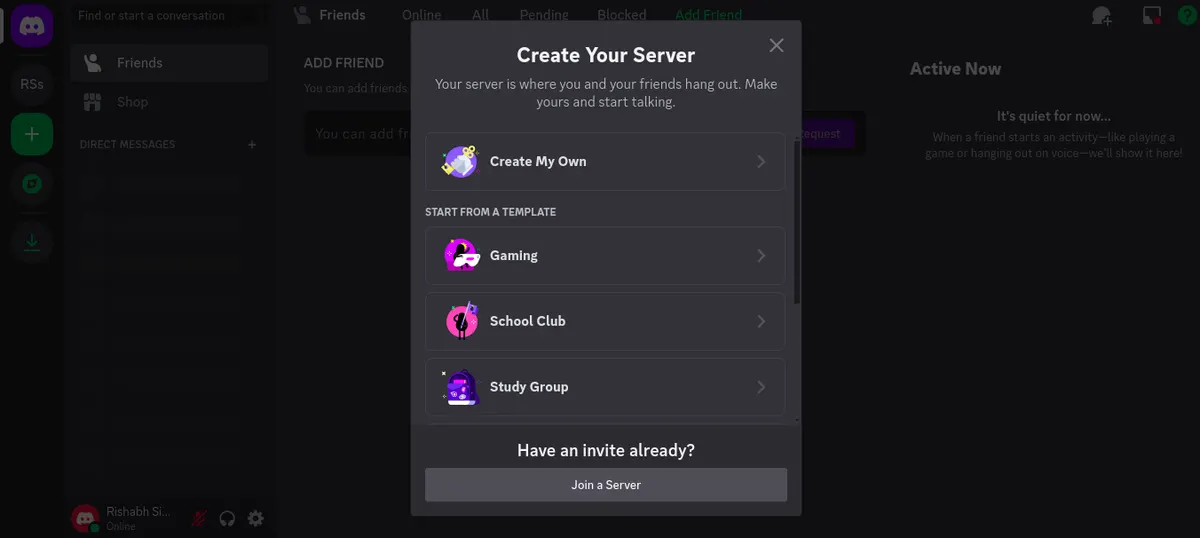
- Select for a club or community https://discord.com/channels/1223500106897166447/1223500106897166450
- Now go to user settings (Gear icon) > Advanced. Enable the developer mode
Create Discord application
- Go to https://discord.com/developers/applications and create an application (I have used node-bot. You can choose any name)
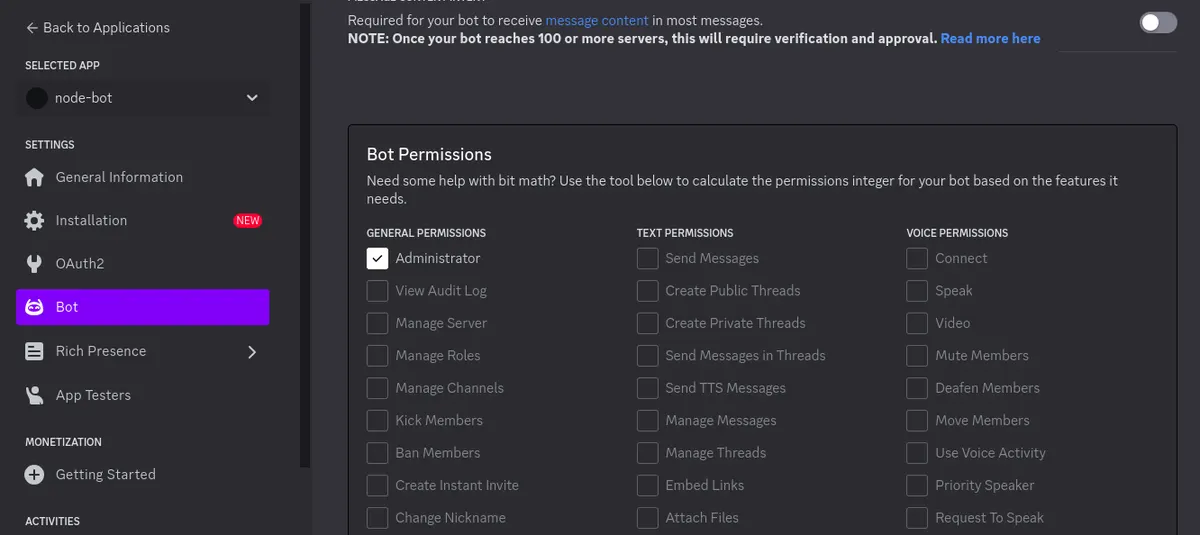
- Now go to bot on left side and update username node-bot01 add Admin permission as shown in screenshot below:
- Now go to Oauth2, select bot and then Administrator and copy the generated url https://discord.com/oauth2/authorize?client_id=1223501200872181801&permissions=8&scope=bot
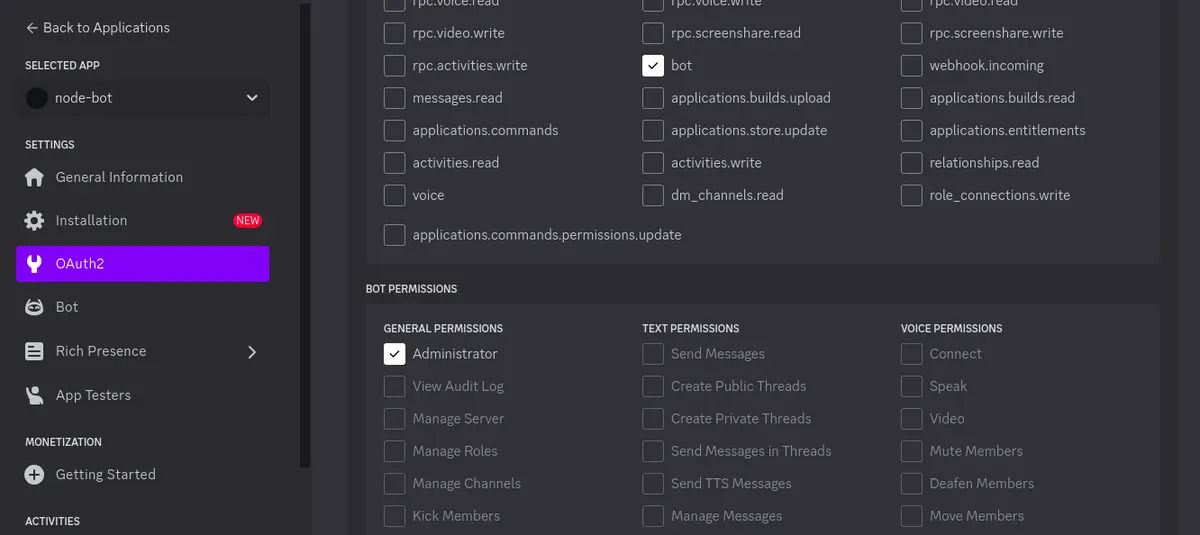
- Now paste the url in a new tab and add it to the server (Follow the step that will appear)
Now we will use discordjs library to interact with the bot
npm install discord.js
Let’s create a new project and use it. Go to the project folder and run below commands.
- npm init
- npm install discord.js
Create index.js in the root folder.
Generate Token:
- Go to application https://discord.com/developers/applications, select your bot which you created
- Click on bot and enable MESSAGE CONTENT INTENT so that we can have access to message guild content to access the message received in the server.
- Click on reset token and copy the token.
As per the docs https://discord.js.org/docs/packages/discord.js/14.14.1, we will copy the code from here
GatewayIntentBits -for the Permission
We will also install the dotenv package to read the token from .env.
npm install dotenv —save
Now create the .env file in root directory and paste below code:
token=“YOUR_DISCORD_BOT_TOKEN”
index.js
const { Client, GatewayIntentBits } = require("discord.js");
require("dotenv").config();
const client = new Client({
intents: [
GatewayIntentBits.Guilds,
GatewayIntentBits.GuildMessages,
GatewayIntentBits.MessageContent,
],
});
// const token = process.env.token;
client.on("messageCreate", (message) => {
if(message.author.bot) return ;
message.reply({
content:“Hi !! from Bot”
})
});
client.login(token);
Update the command in package.json to node index.js. Now run npm start
Command to interact with bot
const { Client, GatewayIntentBits } = require("discord.js");
require("dotenv").config();
const client = new Client({
intents: [
GatewayIntentBits.Guilds,
GatewayIntentBits.GuildMessages,
GatewayIntentBits.MessageContent,
],
});
// const token = process.env.token;
client.on("messageCreate", (message) => {
if (message.author.bot) return;
if (message.content.startsWith(“create”)) {
const url = message.content.split("create")[1];
return message.reply({
content:“Generating Short ID for “+url
})
}message.reply({
content: "Hi !! from Bot",
});
});
client.on("interactionCreate", async (interaction) => {
if (!interaction.isChatInputCommand()) return;
if (interaction.commandName === “ping”) {
await interaction.reply("Pong!");
}
});
client.login(token);